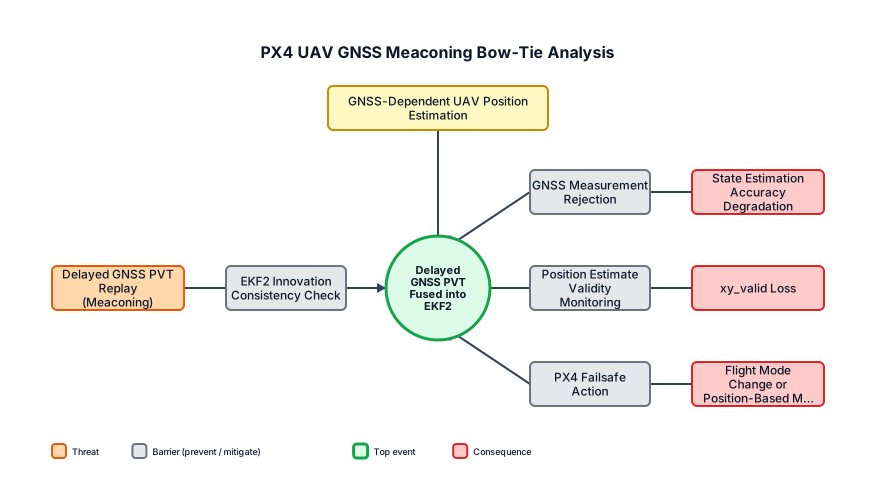
Create a horizontal Bow-Tie diagram, not a Fault Tree. Title: PX4 UAV GNSS Meaconing Bow-Tie Analysis Hazard at the top center: GNSS-Dependent UAV Position Estimation Center Top Event in a green circle: Delayed GNSS PVT Fused into EKF2 Left side Threat: Delayed GNSS PVT Replay (Meaconing) Preventive Barrier between the Threat and Top Event: EKF2 Innovation Consistency Check Right side must contain three separate consequence paths. Path 1: Top Event → Mitigative Barrier: GNSS Measurement Rejection → Consequence: State Estimation Accuracy Degradation Path 2: Top Event → Mitigative Barrier: Position Estimate Validity Monitoring → Consequence: xy_valid Loss Path 3: Top Event → Mitigative Barrier: PX4 Failsafe Action → Consequence: Flight Mode Change or Position-Based Mission Interruption Formatting requirements: - Use a horizontal Bow-Tie layout. - Do not create a Fault Tree. - Do not use AND or OR gates. - Place the Hazard directly above the Top Event. - Place the Threat on the left. - Place all Consequences on the right. - Use orange boxes for Threats. - Use gray-blue boxes for Preventive and Mitigative Barriers. - Use a green circle for the Top Event. - Use red boxes for Consequences. - Use a pale yellow box for the Hazard. - Connect every element with arrows from left to right. - Do not reverse the order of barriers and consequences. - Do not display "\n" as text. Use actual line breaks. - Do not add probabilities, barrier IDs, Fault Tree symbols, or extra nodes. - Keep all labels fully visible without truncation or overlapping lines.
Diagram Examples from Real Visitor Prompts
Browse eligible diagrams shared by FreeDiagram visitors, inspect the exact prompts, and build your own version.
Browse 100 real creationsAll visitor creations
Showing 97–100 of 100. No stock examples or system defaults. Choose a tool, study a real result, then reopen its prompt as your starting point.
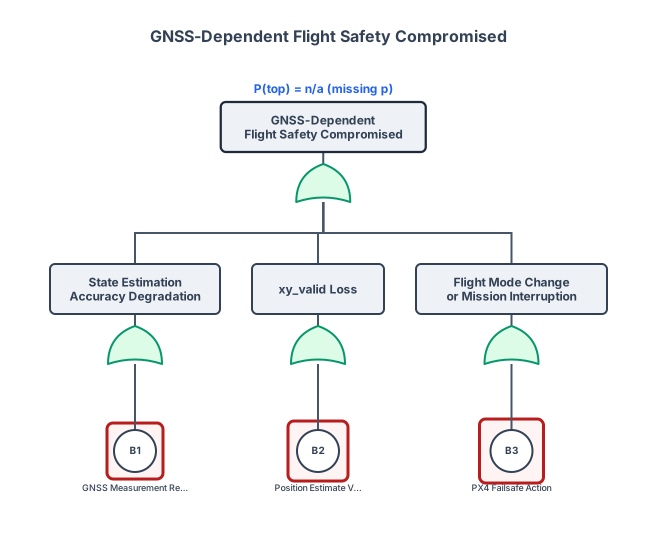
GNSS Measurement Rejection 회색 → State Estimation Accuracy Degradation 빨간색 Position Estimate Validity Monitoring 회색 → xy_valid Loss 빨간색 PX4 Failsafe Action 회색 → Flight Mode Change or Mission Interruption 빨간색
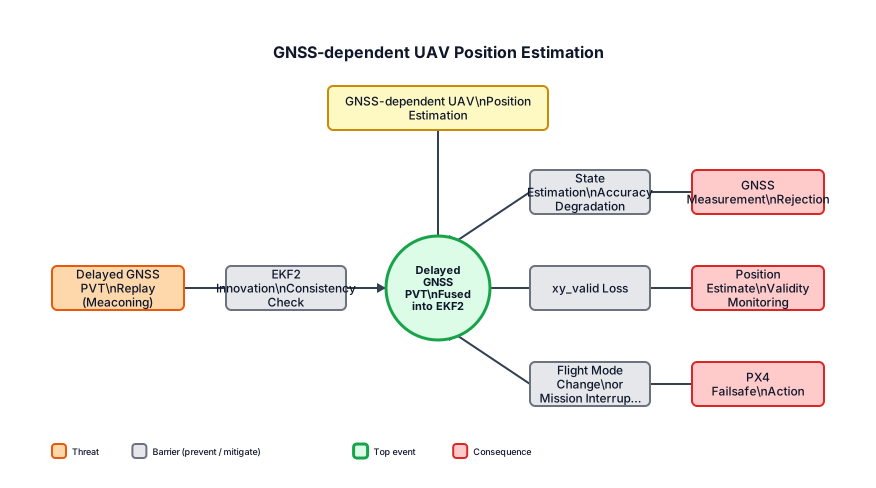
지금 그림은 이전 그림보다 Bow-Tie 형태에 가까워졌지만, 그대로 사용하기에는 몇 군데가 어색합니다. 아래 항목만 수정하면 됩니다. 수정해야 할 부분 Hazard 현재: GNSS Meaconing Attack 수정: GNSS-dependent UAV Position Estimation 미코닝은 Hazard가 아니라 왼쪽의 Threat입니다. 왼쪽 Threat GNSS Delay, GNSS PVT Replay를 합쳐서 Delayed GNSS PVT Replay (Meaconing) 하나로 표현해도 됩니다. Preventive Barrier Innovation Test Ratio는 방어 기능의 이름이라기보다 판단 지표입니다. **EKF2 Innovation Consistency Check**로 수정하세요. 가운데 있는 작은 Innovation Test Ratio와 Validation bypassed by subtle delay는 삭제해도 됩니다. 오른쪽 첫 번째 경로 Plain Text 1 Top Event 2 → GNSS Measurement Rejection 3 → State Estimation Accuracy Degradation 더 많은 선 표시 오른쪽 두 번째 경로 Plain Text 1 Top Event 2 → Position Estimate Validity Monitoring 3 → xy_valid Loss 더 많은 선 표시 오른쪽 세 번째와 네 번째 경로는 합치기 Plain Text 1 Top Event 2 → PX4 Failsafe Action 3 → Flight Mode Change or Mission Interruption 더 많은 선 표시 DESCEND는 삭제하세요. 실제 조치는 PX4 설정과 비행 상태에 따라 달라지므로 반드시 하강한다고 단정하기 어렵습니다. 중앙 Top Event는 유지 가능 Delayed GNSS PVT Fused into EKF2 이 표현은 명확합니다. 지연된 관측값이 단순히 입력된 것이 아니라 EKF2 상태추정에 실제로 반영된 사건을 나타냅니다. PX4 EKF2는 센서별 지연을 고려한 융합 시점과 버퍼를 사용하므로, 지연 보상과 관측값 일관성 검사를 분석 요소로 사용하는 것 자체는 적절합니다. 다만 미코닝 전용 방어 기능이라고 표현하면 안 됩니다. 결론적으로 디자인은 유지하고, Hazard와 오른쪽 경로 및 중복 항목만 수정하면 됩니다.
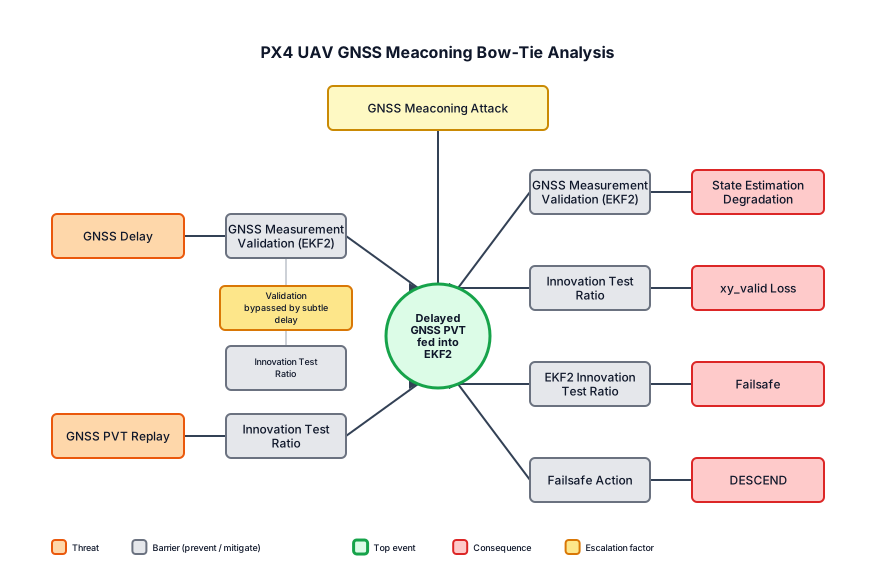
PX4 기반 UAV의 GNSS 미코닝 공격 Bow-Tie 분석을 그려줘. 왼쪽에는 GNSS 지연과 GNSS PVT 재생을 위협으로 배치하고, 중앙에는 지연된 GNSS PVT가 EKF2에 입력되는 Top Event를 배치한다. 오른쪽에는 상태추정 성능 저하, xy_valid 상실, Failsafe, DESCEND를 결과로 배치한다. EKF2의 GNSS 측정 검증과 Innovation Test Ratio를 방어장벽으로 표시한다.