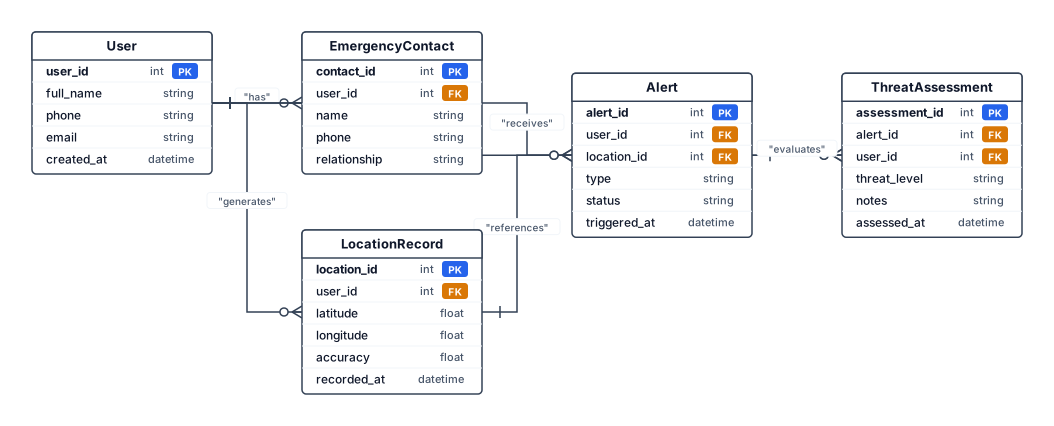
Entity Relationship Diagram Shows logical relationships among core entities such as User, Emergency Contact, Alert, Location Record, and Threat Assessment where implemented.
NODE ARCHIVE · REAL DIAGRAM BRIEFS
Diagram Examples from Real Visitor Prompts
Browse eligible diagrams shared by FreeDiagram visitors, inspect the exact prompts, and build your own version.
Browse 3281 real creationsCOMMUNITY OUTPUTS · EXACT PROMPTS
Main diagram studio
Showing 841–864 of 1261. No stock examples or system defaults. Choose a tool, study a real result, then reopen its prompt as your starting point.
![Main diagram studio: [ INSERT CLASS DIAGRAM HERE ] The final class diagram should be generated from the actual implementation. Typical logical entities may include User, E](https://psvtykrtciekraoilfux.supabase.co/storage/v1/object/public/gallery-assets/freediagram/feed/4c67410c-ab35-4cc5-bf13-cd112a30f562.svg)
[ INSERT CLASS DIAGRAM HERE ] The final class diagram should be generated from the actual implementation. Typical logical entities may include User, EmergencyContact, Alert, ThreatAssessment, LocationRecord, and related service/controller classes if they exist in the project.
![Main diagram studio: [ INSERT SEQUENCE DIAGRAM HERE ] A sequence diagram can illustrate a login flow: user submits credentials, interface sends a request, authentication l](https://psvtykrtciekraoilfux.supabase.co/storage/v1/object/public/gallery-assets/freediagram/feed/2a9d2736-9f3e-4cc0-8b76-bcca40affe44.svg)
[ INSERT SEQUENCE DIAGRAM HERE ] A sequence diagram can illustrate a login flow: user submits credentials, interface sends a request, authentication logic validates credentials, database is queried, and the system returns success or failure. A second sequence may be prepared for SOS or emergency contact operations.
![Main diagram studio: [ INSERT ACTIVITY DIAGRAM HERE ] The activity diagram should represent the user journey from opening the application to authentication, dashboard acce](https://psvtykrtciekraoilfux.supabase.co/storage/v1/object/public/gallery-assets/freediagram/feed/a80246be-a8ae-4813-9635-4604b46cc2b0.svg)
[ INSERT ACTIVITY DIAGRAM HERE ] The activity diagram should represent the user journey from opening the application to authentication, dashboard access, selecting a safety function, completing the action, receiving a result, and returning to the dashboard or logging out.
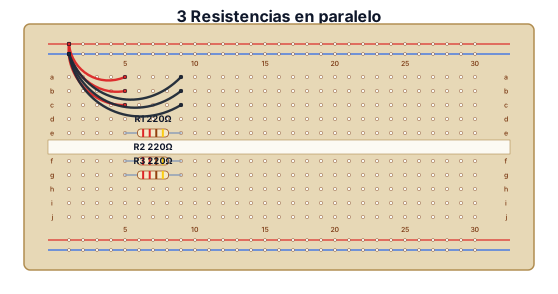
3 Resistencias conectadas en paralelo
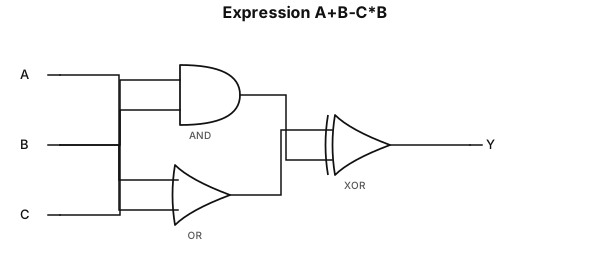
A+B - C * B
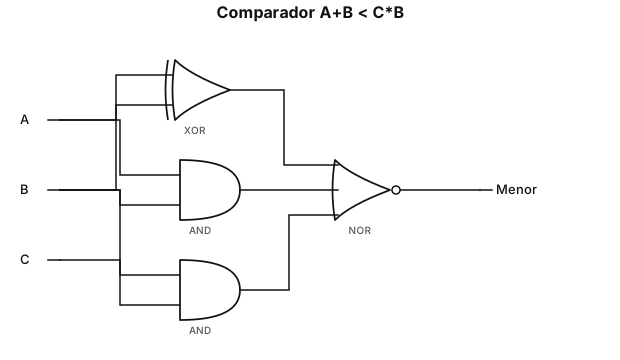
Expresar A+B es menor que C * B
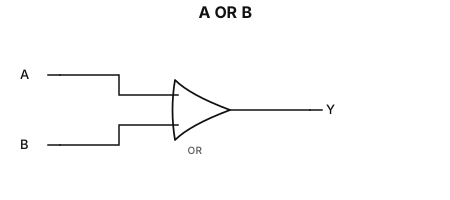
Expresar A+B
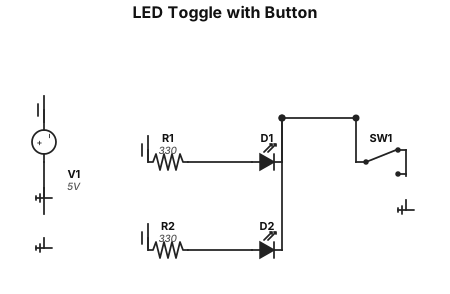
2 LEDs conectadas a un boton que apague uno y encienda el otro
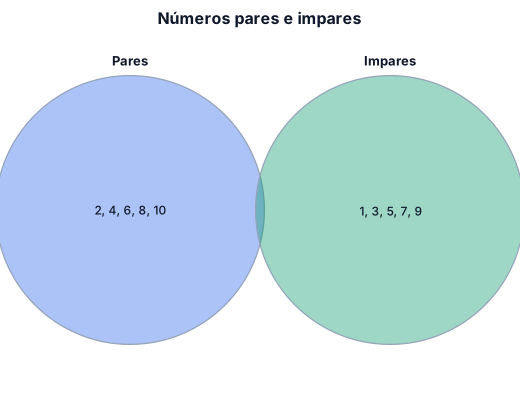
Diagrama de Venn de numeros pares junto a numeros impares
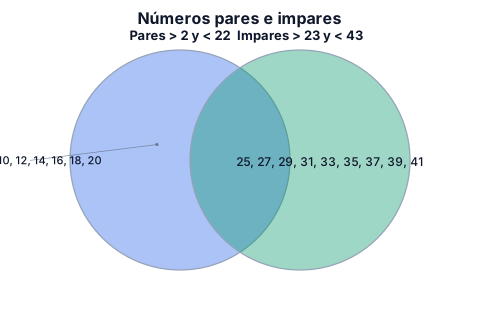
Diagrama de Venn de numeros pares mayores que 2 y menores que 22, junto a numeros impares mayores que 23 y menores que 43
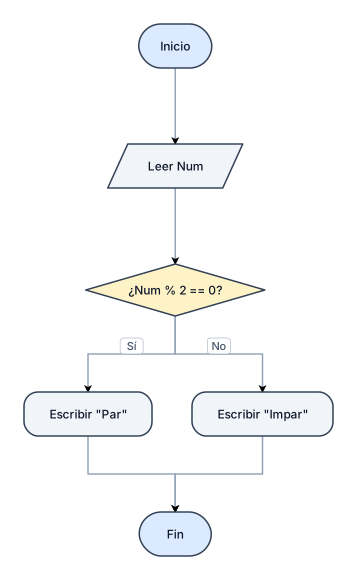
Diagrama de flujo de un programa que lea el valor "Num" y determine si es un numero par y escriba "Par" sino "Impar"
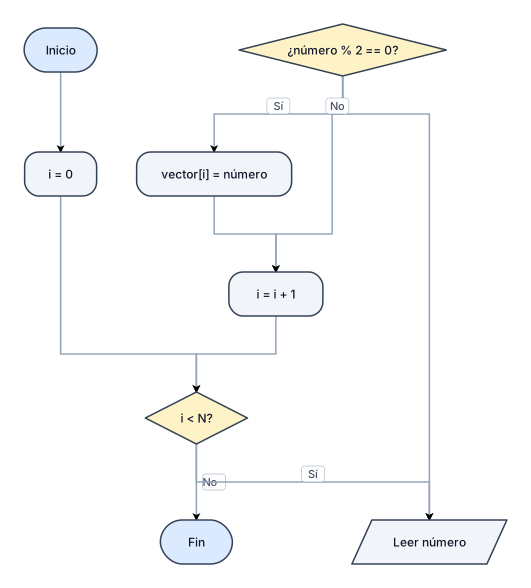
Diagramas de flujo para cargar un vector con numeros pares
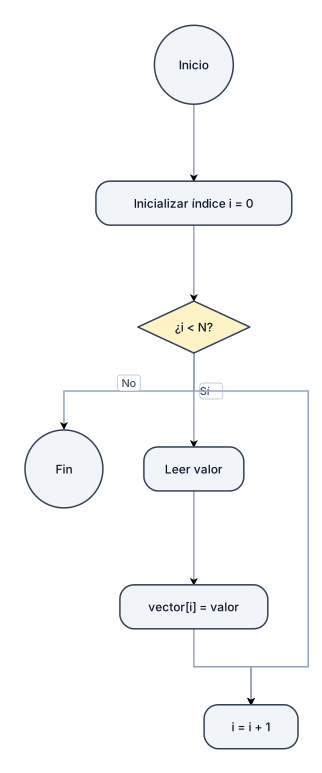
Diagramas de flujo para cargar un vector
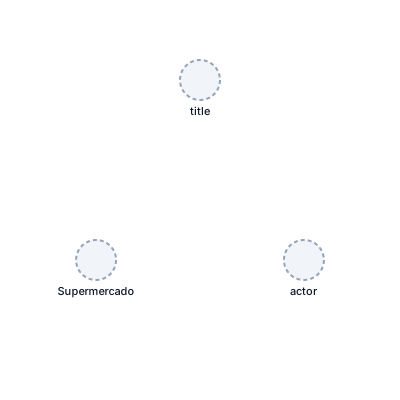
Sociograma sobre el transporte de productos lacteos entre una empresa de Supermercado y una empresa dedicada a la venta de productos vacunos
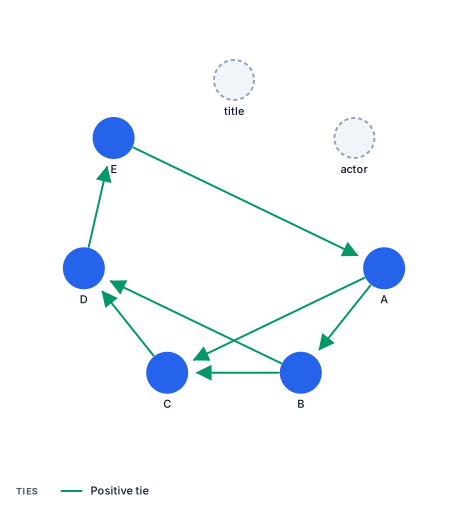
Sociograma sobre el transporte de productos entre empresas
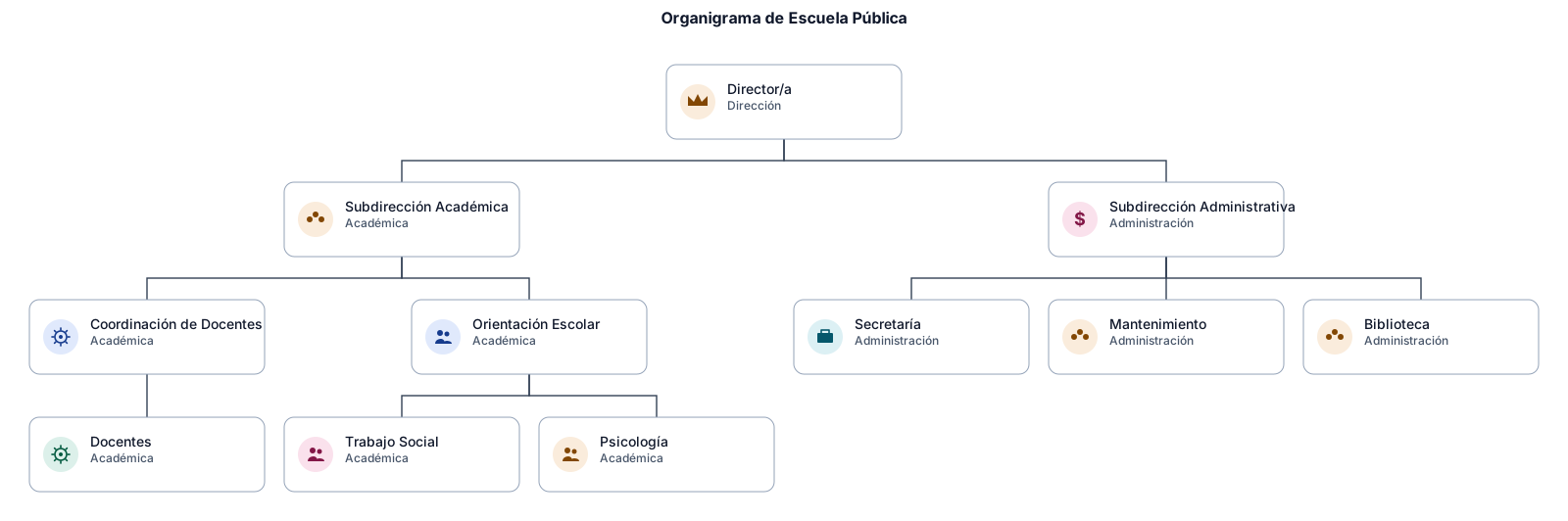
Organigrama sobre una escuela publica
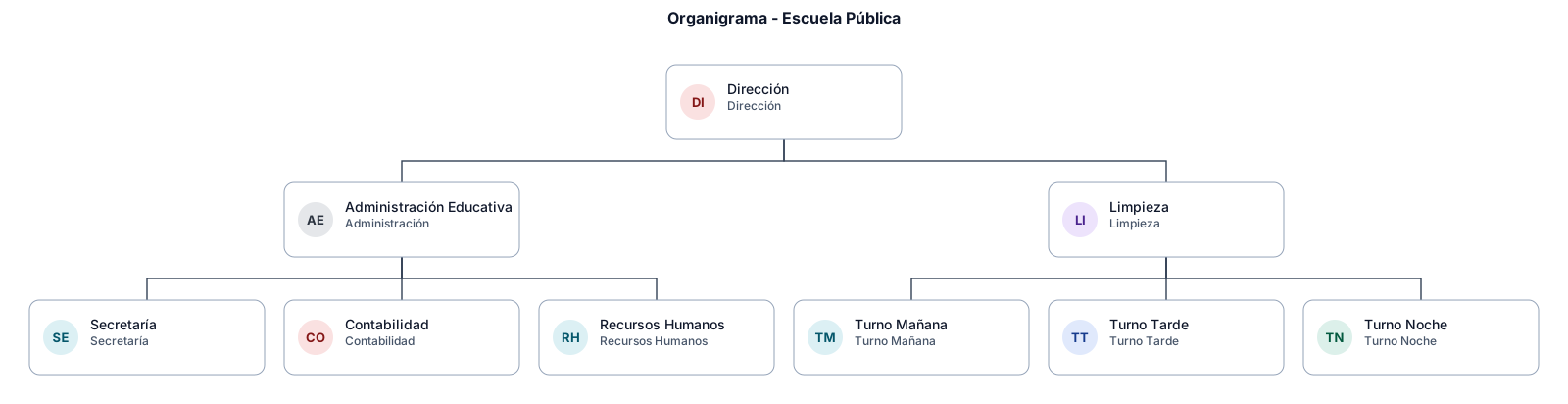
Organigrama sobre una escuela publica, contando limpieza, administracion educativa
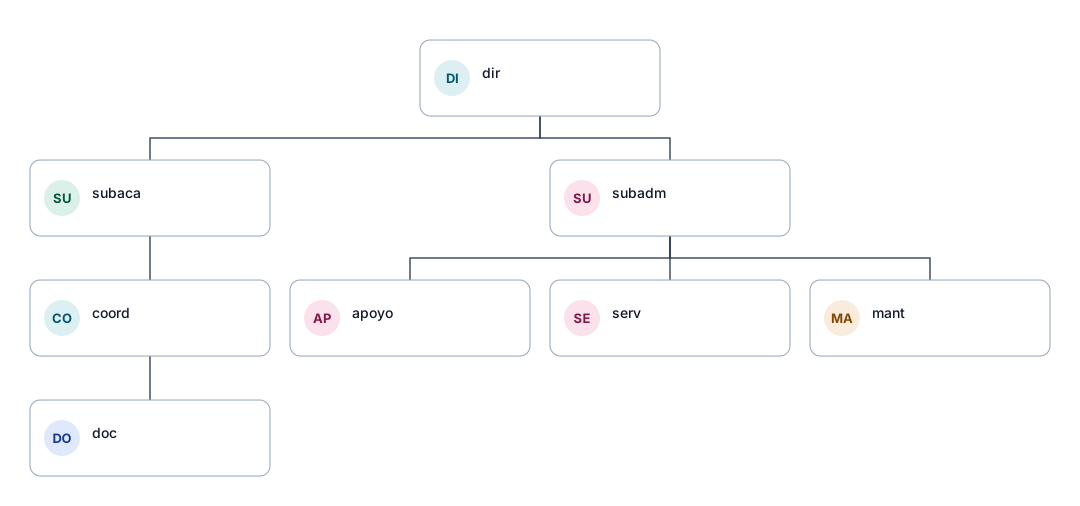
Organigrama sobre la jerarquia de una escuela
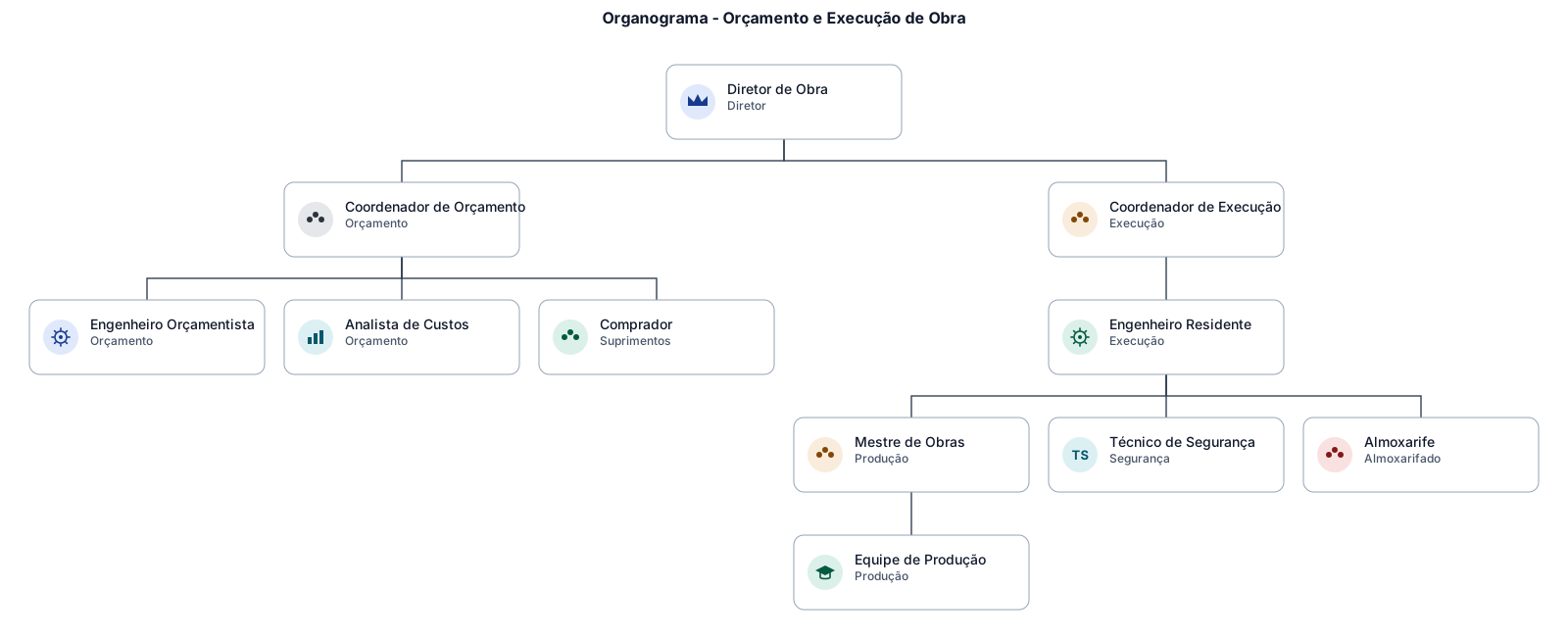
GOSTARIA DE FAZER UM ORGANOGRAMA DE ADORDO COM O ORÇAMENTO E EXECUÇÃO DE SERVIÇOS REALIZADOS EM OBRA
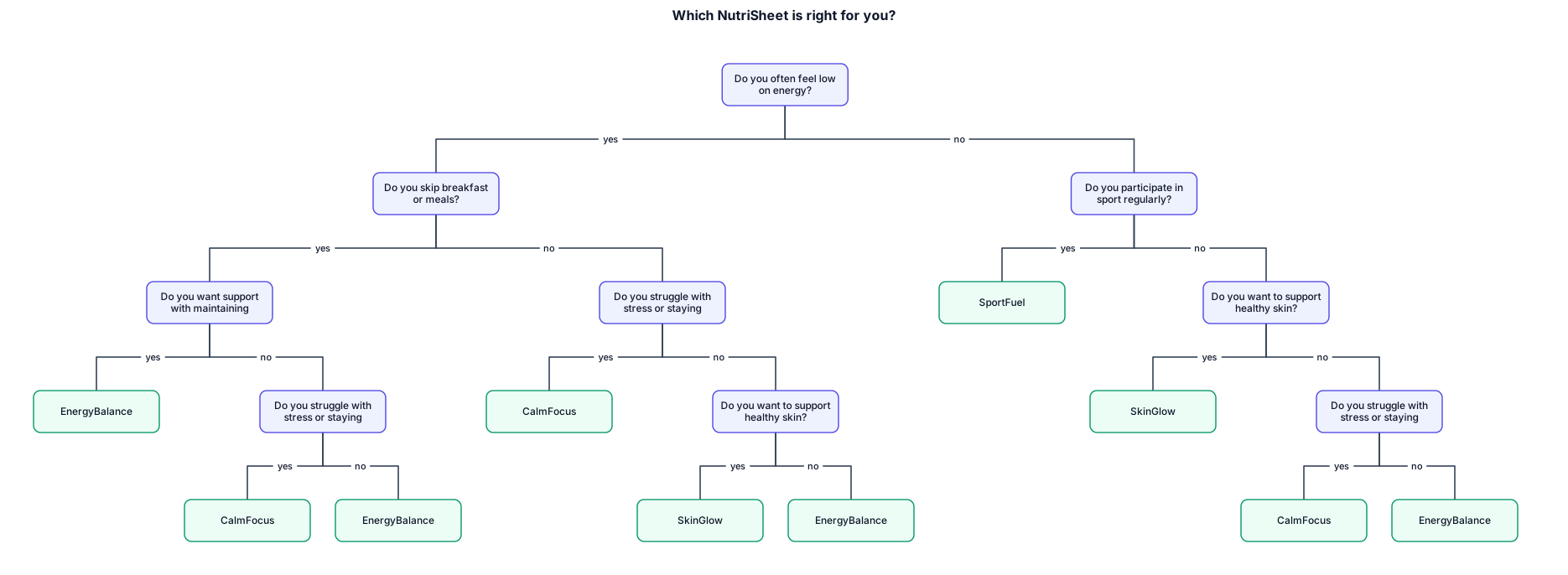
Create a colourful, clean, teenage friendly decision tree flowchart for a nutrition product called NutriSheets. The flowchart should help teenagers aged 13 to 17 decide which of four NutriSheet editions suits them best. Start with “Which NutriSheet is right for you?” and use multiple YES/NO questions with arrows connecting each answer to the next question. Questions should include: “Do you often feel low on energy?”, “Do you skip breakfast or meals?”, “Do you participate in sport regularly?”, “Do you struggle with stress or staying focused?”, “Do you want to support healthy skin?”, and “Do you want support with maintaining balanced energy?” Each YES or NO answer should lead logically to another question until the user reaches exactly one of four final results: SkinGlow, SportFuel, CalmFocus or EnergyBalance. Make the four final results clearly separated and colour coded. SkinGlow should be pastelpink, SportFuel pastelorange, CalmFocus pastelpurple, and EnergyBalance pastelgreen. Use rectangle shapes for questions, rounded rectangles for the four final NutriSheet results, clear YES and NO labels on arrows, and a neat top to bottom layout suitable for a Year 11 IRP presentation. the questions rectangles should be pale teal
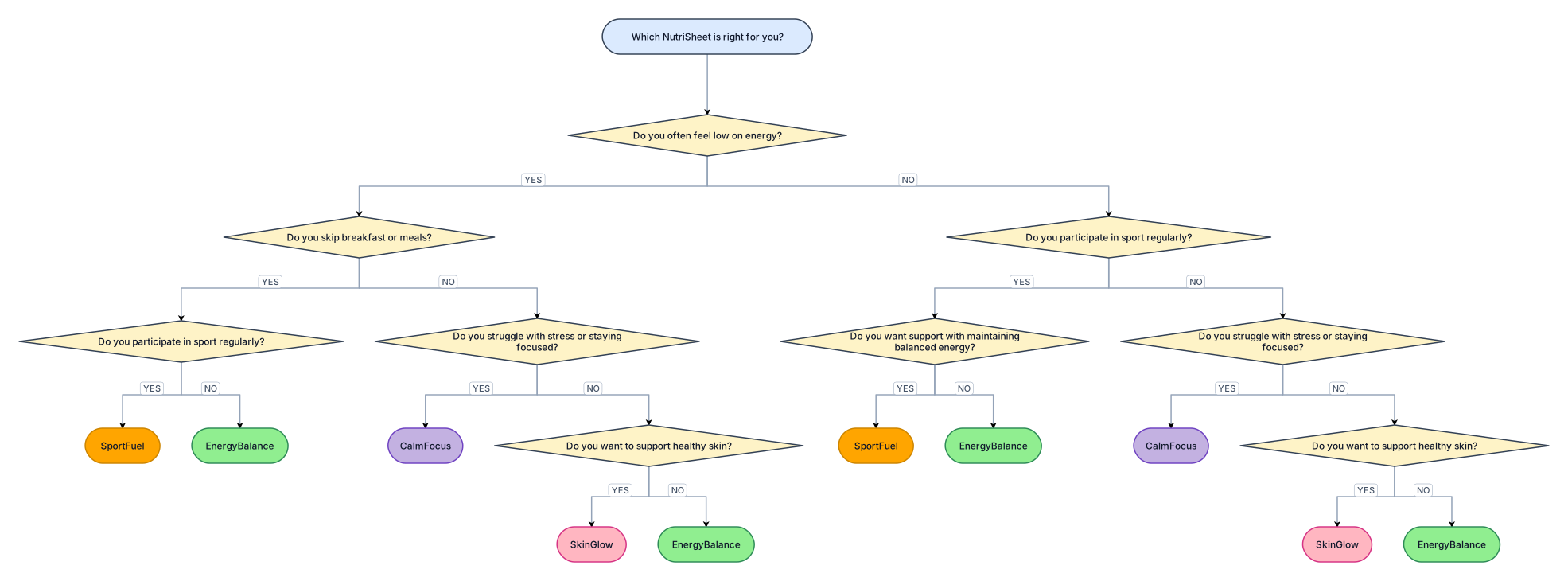
Create a colourful, clean, teenage friendly decision tree flowchart for a nutrition product called NutriSheets. The flowchart should help teenagers aged 13 to 17 decide which of four NutriSheet editions suits them best. Start with “Which NutriSheet is right for you?” and use multiple YES/NO questions with arrows connecting each answer to the next question. Questions should include: “Do you often feel low on energy?”, “Do you skip breakfast or meals?”, “Do you participate in sport regularly?”, “Do you struggle with stress or staying focused?”, “Do you want to support healthy skin?”, and “Do you want support with maintaining balanced energy?” Each YES or NO answer should lead logically to another question until the user reaches exactly one of four final results: SkinGlow, SportFuel, CalmFocus or EnergyBalance. Make the four final results clearly separated and colour coded. SkinGlow should be pink, SportFuel orange, CalmFocus purple, and EnergyBalance green. Use diamond shapes for questions, rounded rectangles for the four final NutriSheet results, clear YES and NO labels on arrows, and a neat top to bottom layout suitable for a Year 11 IRP presentation.
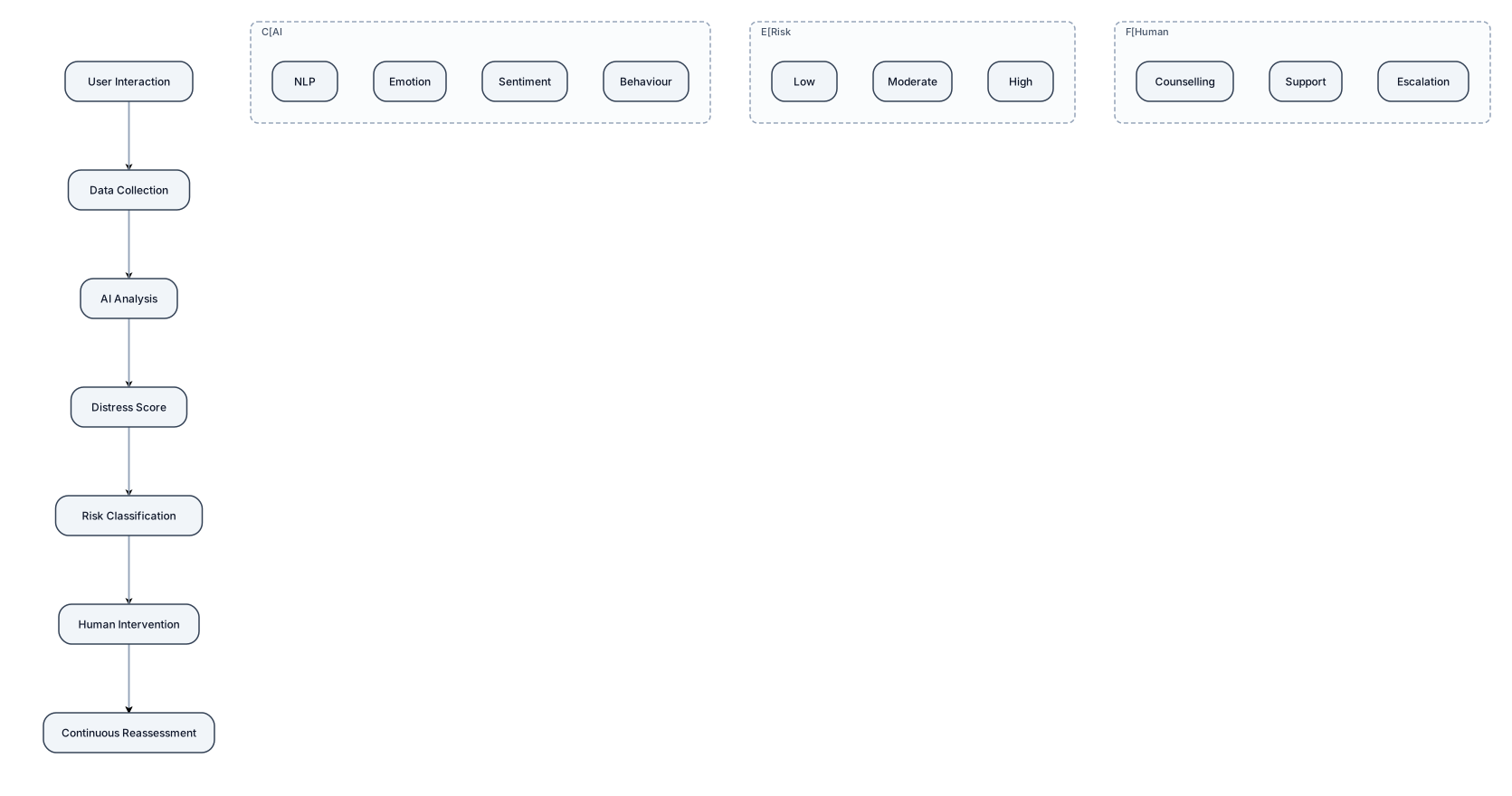
Use only these 7 boxes: User Interaction → Data Collection → AI Analysis → Distress Score → Risk Classification → Human Intervention → Continuous Reassessment Add a feedback arrow from Continuous Reassessment → User Interaction. Under AI Analysis, use tiny labels: NLP | Emotion | Sentiment | Behaviour. Under Risk Classification: Low | Moderate | High. Under Human Intervention: Counselling | Support | Escalation. make it short that it can come in half page of slide
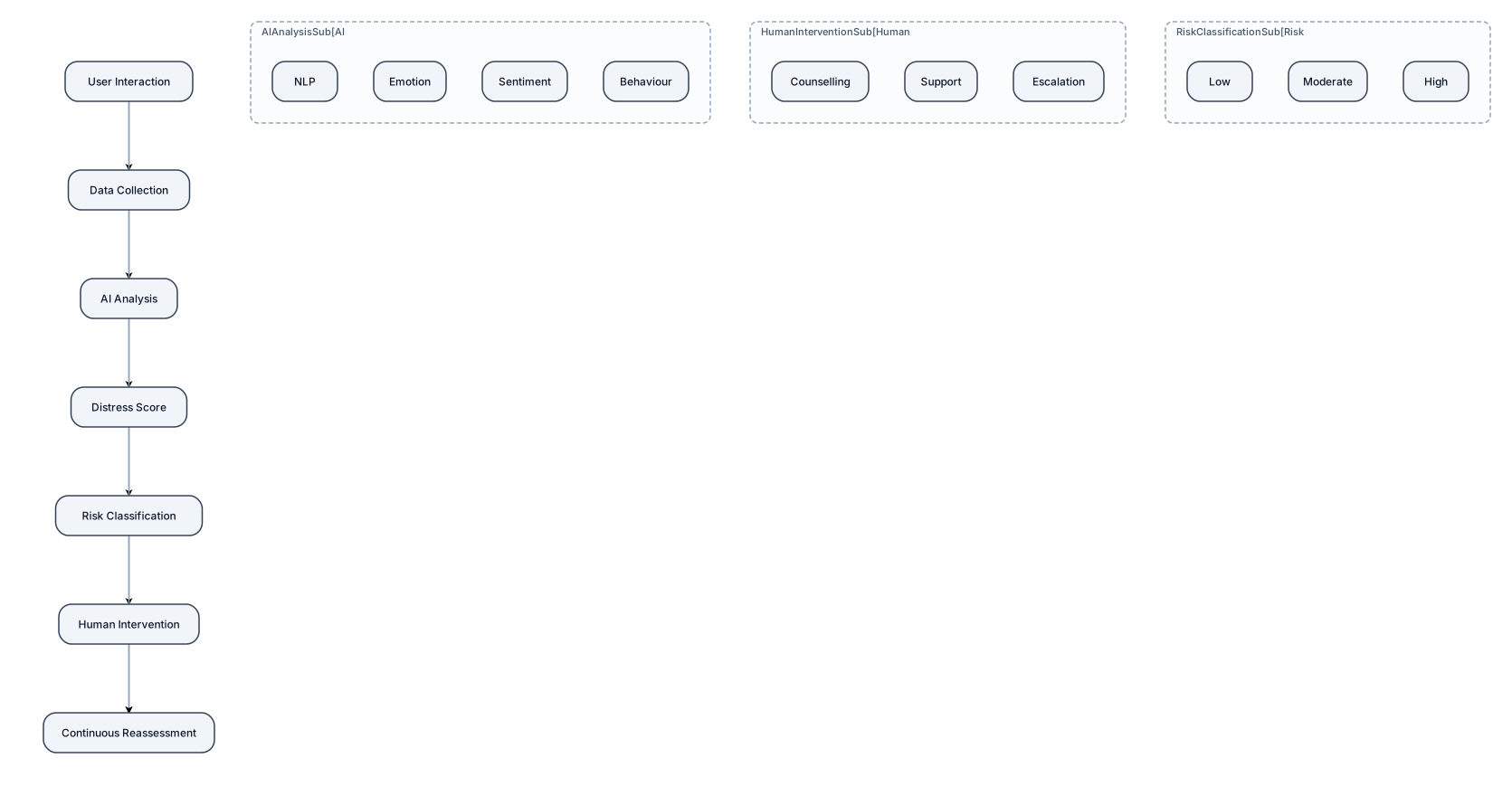
Use only these 7 boxes: User Interaction → Data Collection → AI Analysis → Distress Score → Risk Classification → Human Intervention → Continuous Reassessment Add a feedback arrow from Continuous Reassessment → User Interaction. Under AI Analysis, use tiny labels: NLP | Emotion | Sentiment | Behaviour. Under Risk Classification: Low | Moderate | High. Under Human Intervention: Counselling | Support | Escalation.