
Draw a schematic showing an ESP32 microcontroller connected to two PZEM‑004T modules, a 4‑channel relay module, an OLED display, and a push button. Connections: ESP32 → Relay module: GPIO 5, 18, 19, 23 control IN1–IN4; relay VCC = 5 V; relay GND = common ground. ESP32 → PZEM #1: RX (GPIO 25) and TX (GPIO 26). ESP32 → PZEM #2: RX (GPIO 32) and TX (GPIO 33). ESP32 → OLED: SDA (GPIO 21), SCL (GPIO 22), VCC = 3.3 V, GND = common ground. ESP32 → Button: one side = GPIO 14, other side = GND. Power: External 5 V supply feeds ESP32 (VIN), relay module (VCC), and both PZEM modules. OLED powered by ESP32 3.3 V. All grounds joined at a common bus bar. AC wiring: AC Mains (240 V) connects to each PZEM’s L and N terminals for measurement. Each PZEM’s output (L OUT/N OUT) connects to the relay module COM terminals. Relay NO terminals connect to AC loads. Neutral shared directly between mains, PZEMs, and loads. Label the two PZEMs as Loop 1 and Loop 2. Show UART1 and UART2 communication lines between ESP32 and PZEMs.
Diagram Examples from Real Visitor Prompts
Browse eligible diagrams shared by FreeDiagram visitors, inspect the exact prompts, and build your own version.
Browse 3263 real creationsCircuit Diagrams
Showing 193–216 of 270. No stock examples or system defaults. Choose a tool, study a real result, then reopen its prompt as your starting point.
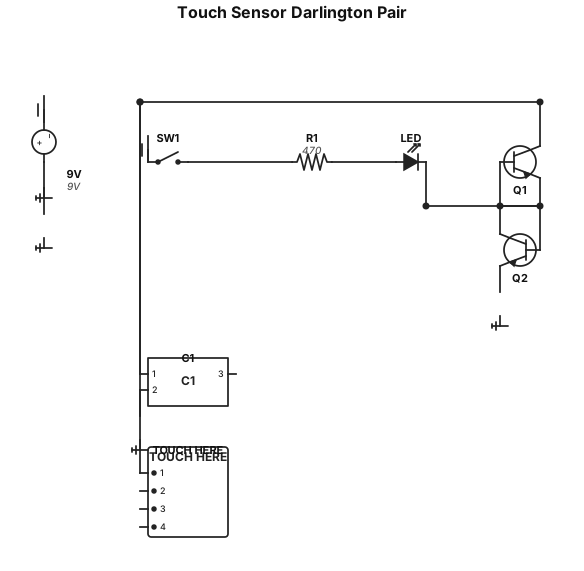
Create a clean standard electronic schematic of a touch sensor circuit using two NPN transistors connected as a Darlington pair. Use a 9V DC power supply with an ON/OFF switch. Connect the positive 9V rail to an LED in series with a 470 Ω resistor, then connect this node to the collectors of the Darlington transistor pair. Connect the emitters of the two NPN transistors as a Darlington configuration, where the emitter of the first transistor drives the base of the second transistor. Connect the emitter of the second transistor to ground. Create a touch input node connected to the base of the first NPN transistor. Connect a 10 nF polarized capacitor from this base/touch node to ground, with the positive terminal toward the transistor base. Add a clearly labeled TOUCH HERE input point on the base node. Label the components: 9V, SW1, LED, R1 = 470 Ω, C1 = 10 nF, Q1 = NPN, Q2 = NPN. Use standard electronic schematic symbols, clean orthogonal wiring, black lines on white background, no breadboard, no 3D effects, suitable for an engineering laboratory book. Export as SVG.
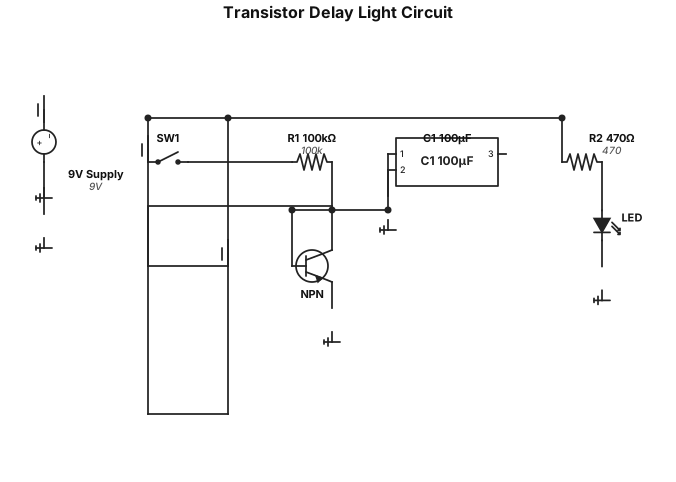
Create a clean standard electronic schematic of a delay light circuit using one NPN transistor. Use a 9V DC power supply. Connect the positive 9V rail to the collector of the NPN transistor. The emitter of the NPN transistor connects to a 470 ohm resistor, then to an LED, and then to ground. The transistor base is connected to a 100 kΩ resistor through an ON/OFF switch from the positive 9V supply. Connect a 100 µF polarized capacitor from the transistor base node to ground, with the positive terminal connected to the base. Use standard IEC/electronic schematic symbols. Clearly label the 9V supply, SW1, R1 = 100 kΩ, R2 = 470 Ω, C1 = 100 µF, LED, and NPN transistor. Use a clean black-and-white schematic, horizontal wiring, no breadboard, no 3D effects, and make it suitable for an engineering textbook. Export as SVG.
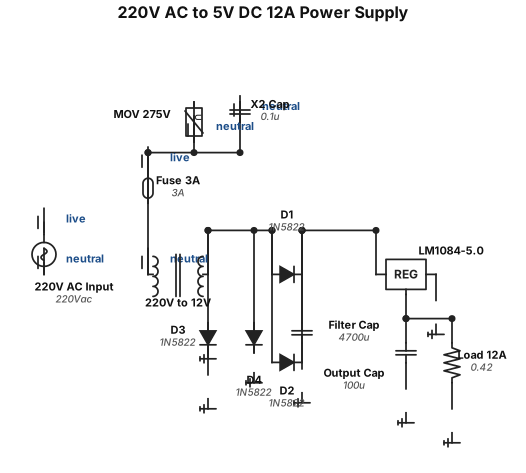
Muje ek circuit banao 5v dc out out 12ampr input 220v ac too 300v kon si ic use howa hai
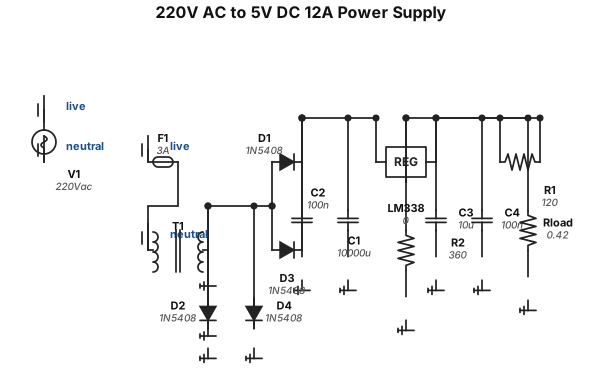
Muje ek circuit banao 5v dc out out 12ampr input 220v ac too 300v
![Circuit Diagrams example: quiero este circuito. ┌───────────[ LED ]───────────┐ │ │ (+)│ │ ┌───┴───┐ │ │ Batería│ │ └───┬───┘ │ (-)│ │ └──────────────────────────────┘](https://psvtykrtciekraoilfux.supabase.co/storage/v1/object/public/gallery-assets/freediagram/feed/def70d84-2ebd-422a-9198-f89fb70ae275.svg)
quiero este circuito. ┌───────────[ LED ]───────────┐ │ │ (+)│ │ ┌───┴───┐ │ │ Batería│ │ └───┬───┘ │ (-)│ │ └──────────────────────────────┘
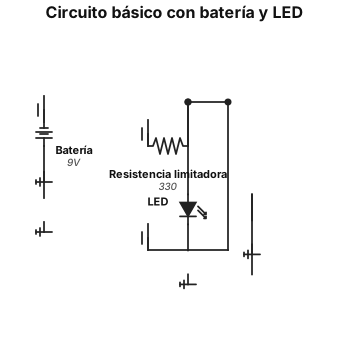
un circuito sencillo que lleve estos materiales. y que venga identificado cada parte del circuito. 1 batería Cables conductores 1 LED o bombillo pequeño
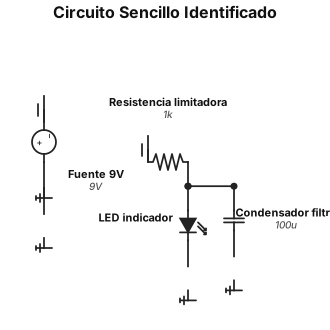
circuito sencillo pero que venga identificado cada parte del circuito
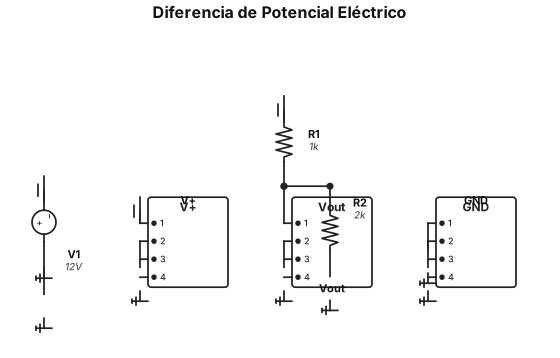
circuito sencillo para diferencia de potencial eléctrico
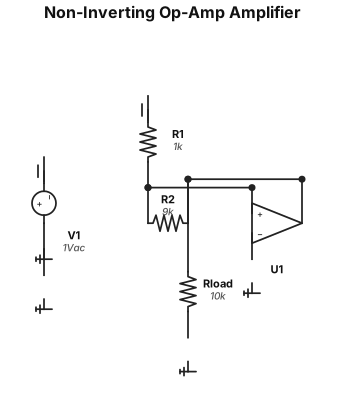
A non-inverting op-amp amplifier circuit with a gain of 10, using a 1 kΩ input resistor and a 9 kΩ feedback resistor
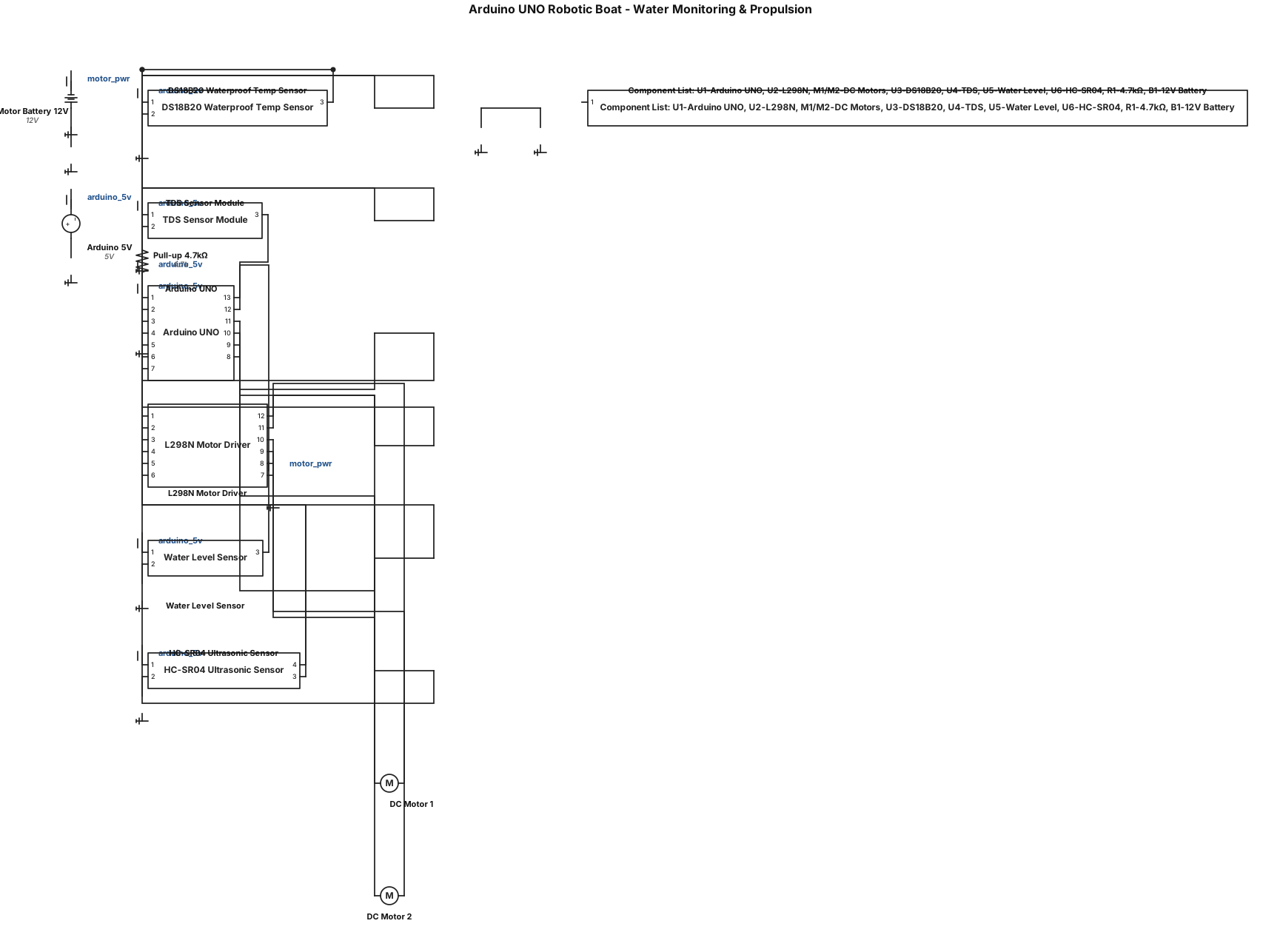
Create a clean, accurate circuit/wiring diagram for an Arduino UNO based robotic boat for water monitoring and propulsion. Components - Arduino UNO - L298N dual H-bridge motor driver - 2 × DC geared motors - DS18B20 waterproof temperature sensor - TDS sensor module - Water level sensor - HC-SR04 ultrasonic sensor - External battery/power supply Exact connections Arduino UNO → L298N - D5 → ENA - D8 → IN1 - D9 → IN2 - D10 → IN3 - D11 → IN4 - D6 → ENB - OUT1 + OUT2 → DC Motor 1 - OUT3 + OUT4 → DC Motor 2 - External battery positive → L298N motor power (+12V/Vs as appropriate) - Battery negative → L298N GND - Arduino GND → L298N GND Arduino UNO → DS18B20 - D2 → DATA - 5V → VCC - GND → GND - Add a 4.7 kΩ pull-up resistor between DATA and 5V Arduino UNO → TDS Sensor - A0 → TDS analog output - 5V → VCC - GND → GND Arduino UNO → Water Level Sensor - A1 → Signal - 5V → VCC - GND → GND Arduino UNO → HC-SR04 - D3 → TRIG - D4 → ECHO - 5V → VCC - GND → GND Diagram requirements - Use standard electronic symbols and clearly labelled components. - Show Arduino UNO pins exactly as specified above. - Show the two motors connected ONLY through the L298N motor driver. - Do not power the motors directly from the Arduino. - Clearly show the external motor battery. - Show common ground between Arduino and L298N. - Show the 4.7 kΩ DS18B20 pull-up resistor. - Clearly distinguish power, ground, sensor and motor connections. - Keep wires neat with minimal crossing. - Use a white background and readable labels. - Arrange the components logically. - Make the diagram suitable for A4 printing and inclusion in a college project synopsis. - Include a small component list/legend. - Do not add unnecessary components or change the specified Arduino pin assignments.
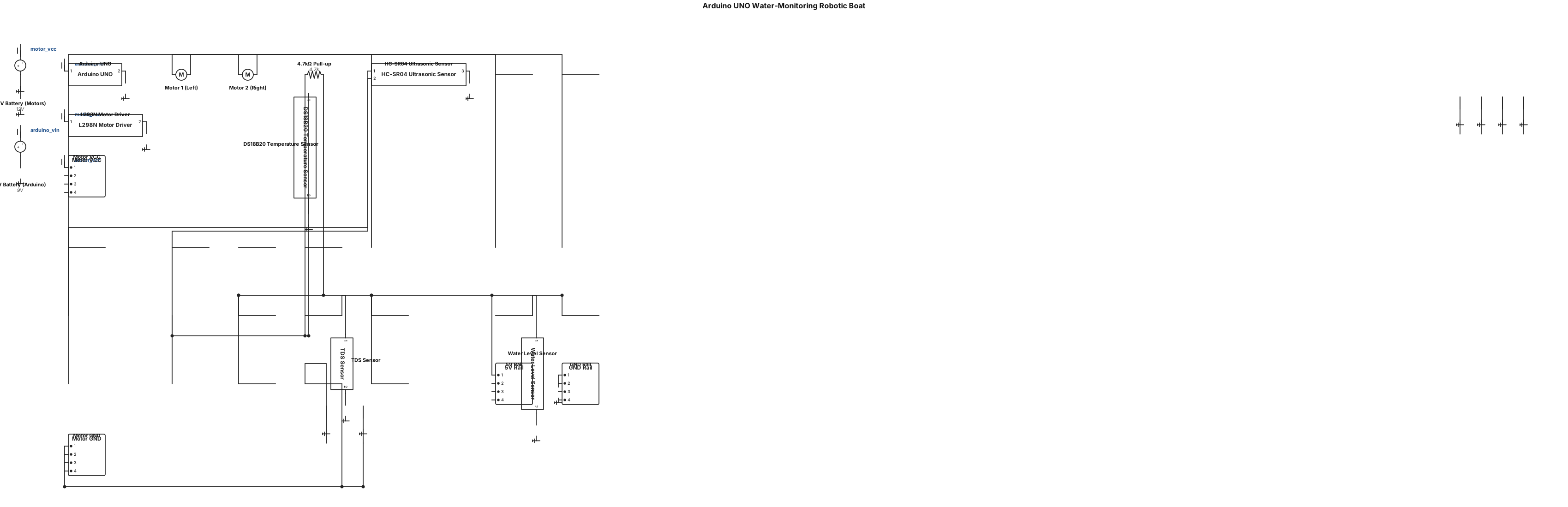
Generate a professional A4 landscape circuit diagram for an Arduino UNO water-monitoring robotic boat. Show these exact connections: Arduino UNO → L298N: D5→ENA, D8→IN1, D9→IN2, D10→IN3, D11→IN4, D6→ENB. L298N OUT1/OUT2→Motor 1 and OUT3/OUT4→Motor 2. Arduino UNO → DS18B20: D2→DATA, 5V→VCC, GND→GND, with 4.7kΩ pull-up from DATA to 5V. Arduino UNO → TDS sensor: A0→Analog Output, 5V→VCC, GND→GND. Arduino UNO → Water Level Sensor: A1→Signal, 5V→VCC, GND→GND. Arduino UNO → HC-SR04: D3→TRIG, D4→ECHO, 5V→VCC, GND→GND. Use an external battery for the DC motors through the L298N. Do not connect motors directly to Arduino. Connect Arduino GND and L298N GND together. Make all connections clearly labelled and visually organized. Use standard schematic symbols, readable pin names, clean wiring, minimal crossings, and a white background. Add a component list at the bottom. The final image must be suitable for printing and inserting into a college project synopsis.
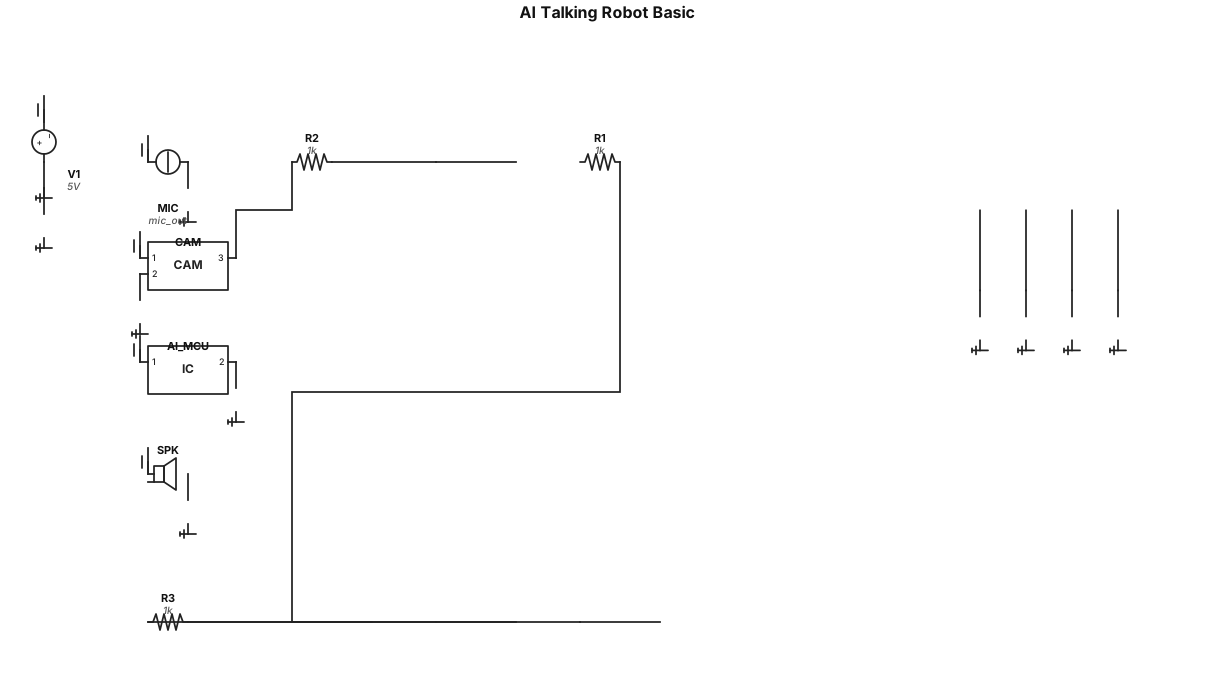
Create me an circuit about an *AI* talking robot which can see me listen me and answer me a basic version
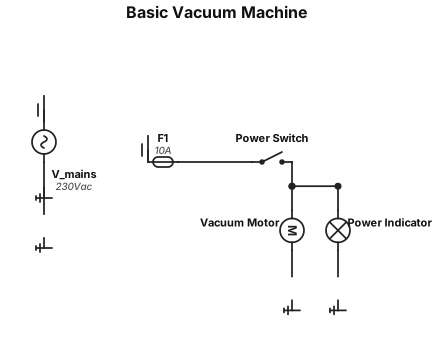
I need an basic *vacuum* machine
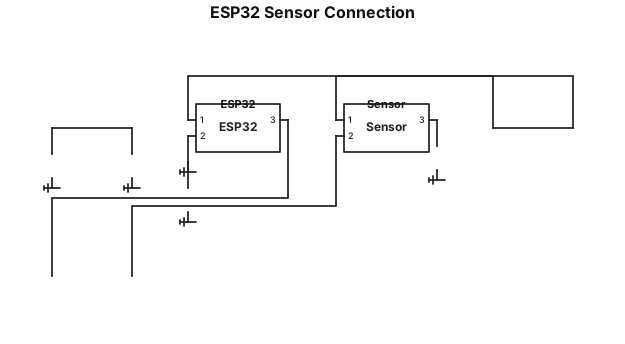
electrical layout for electronic components based on this information. ESP32 3.3V to Sensor VCC ESP32 GND to Sensor GND Sensor OUT to ESP32 GPIO/ADC
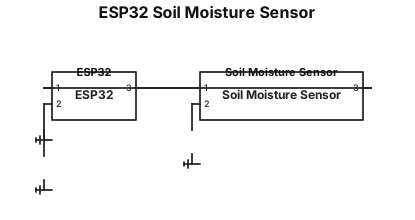
electrical layout for electronic components based on this information. 1. ESP32 → soil moisture sensor The moisture sensor needs two types of connections: ESP32 3.3V ─────────► Sensor VCC ESP32 GND ──────────► Sensor GND Sensor OUT ─────────► ESP32 GPIO/ADC
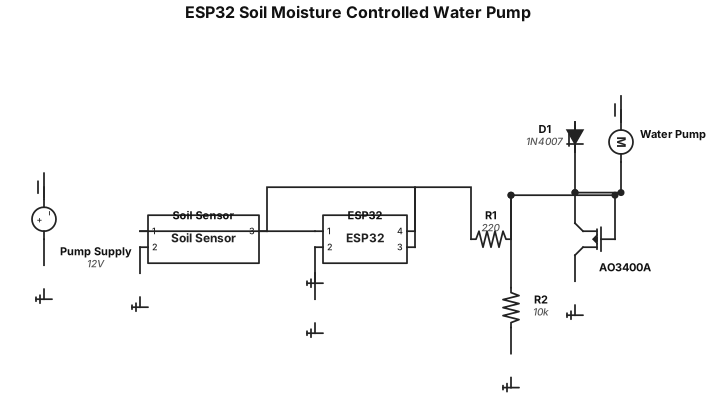
a circuit design based on this information. ESP32 to soil moisture sensor Connect ESP32 3.3V to the sensor VCC. Connect ESP32 GND to the sensor GND. Connect the sensor OUT pin to an ESP32 GPIO/ADC input. The ESP32 continuously reads the soil moisture level from the sensor. ESP32 to MOSFET Gate Connect an ESP32 GPIO output to a 220 Ω resistor. Connect the other side of the 220 Ω resistor to the Gate of the AO3400A MOSFET. The GPIO sends a control signal to switch the pump on or off. 10 kΩ pull-down resistor Connect a 10 kΩ resistor between the MOSFET Gate and GND. This keeps the MOSFET turned off when the ESP32 is not actively sending a HIGH signal. GPIO HIGH → MOSFET ON → Pump ON. GPIO LOW → MOSFET OFF → Pump OFF. MOSFET Source Connect the AO3400A Source directly to GND. The MOSFET is used as a low-side switch. Water pump and MOSFET Drain Connect the positive terminal of the separate pump power supply to the positive terminal of the water pump. Connect the negative terminal of the pump to the MOSFET Drain. Connect the MOSFET Source to GND. When the MOSFET turns on, current flows through the pump and the pump runs. Separate pump power supply The ESP32 should not power the pump directly. The pump receives power from a separate power supply suitable for the pump. Connect the pump supply GND to the ESP32/MOSFET common GND so the control signal has the same electrical reference. 1N4007 protection diode Connect a 1N4007 diode across the pump terminals as a flyback protection diode. Connect the diode's cathode to the pump positive supply and its anode to the MOSFET Drain/pump negative side. The diode protects the MOSFET from voltage spikes generated when the pump motor is switched off.
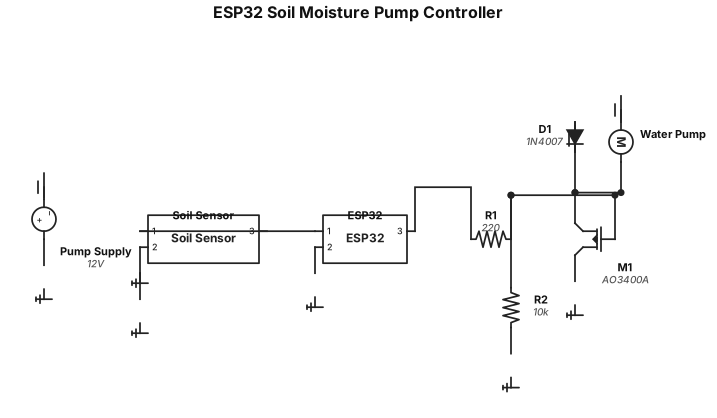
ESP32 to soil moisture sensor Connect ESP32 3.3V to the sensor VCC. Connect ESP32 GND to the sensor GND. Connect the sensor OUT pin to an ESP32 GPIO/ADC input. The ESP32 continuously reads the soil moisture level from the sensor. ESP32 to MOSFET Gate Connect an ESP32 GPIO output to a 220 Ω resistor. Connect the other side of the 220 Ω resistor to the Gate of the AO3400A MOSFET. The GPIO sends a control signal to switch the pump on or off. 10 kΩ pull-down resistor Connect a 10 kΩ resistor between the MOSFET Gate and GND. This keeps the MOSFET turned off when the ESP32 is not actively sending a HIGH signal. GPIO HIGH → MOSFET ON → Pump ON. GPIO LOW → MOSFET OFF → Pump OFF. MOSFET Source Connect the AO3400A Source directly to GND. The MOSFET is used as a low-side switch. Water pump and MOSFET Drain Connect the positive terminal of the separate pump power supply to the positive terminal of the water pump. Connect the negative terminal of the pump to the MOSFET Drain. Connect the MOSFET Source to GND. When the MOSFET turns on, current flows through the pump and the pump runs. Separate pump power supply The ESP32 should not power the pump directly. The pump receives power from a separate power supply suitable for the pump. Connect the pump supply GND to the ESP32/MOSFET common GND so the control signal has the same electrical reference. 1N4007 protection diode Connect a 1N4007 diode across the pump terminals as a flyback protection diode. Connect the diode's cathode to the pump positive supply and its anode to the MOSFET Drain/pump negative side. The diode protects the MOSFET from voltage spikes generated when the pump motor is switched off.
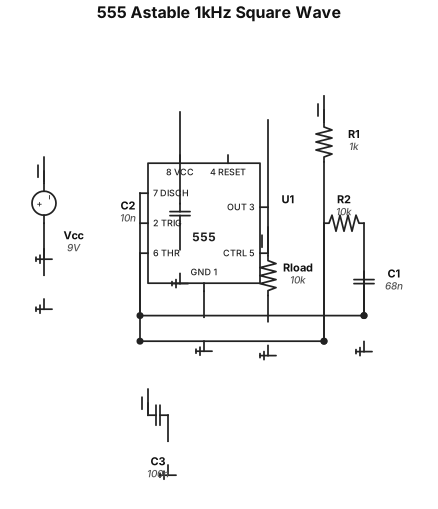
An astable 555 timer circuit producing a 1 kHz square wave
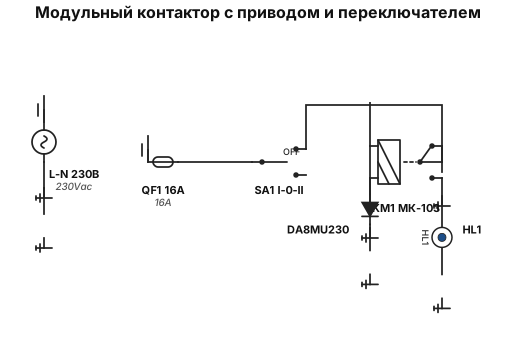
Контактор модульный 1НО+1НЗ 16А 230В МК-103 18051DEK Dekraft, привод Hoocon DA8MU230, Переключатель LAY5-BD33 на 3 положения ''I-0-II'' стандартная ручка 2NO BSW60-BD-3-K02 IEK нужна схема принципиальная
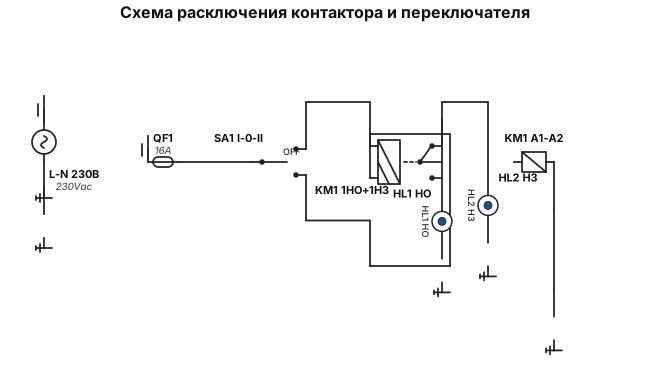
Контактор модульный 1НО+1НЗ 16А 230В МК-103 18051DEK Dekraft, привод Hoocon DA8MU230, Переключатель LAY5-BD33 на 3 положения ''I-0-II'' стандартная ручка 2NO BSW60-BD-3-K02 IEK нужна схема расключения
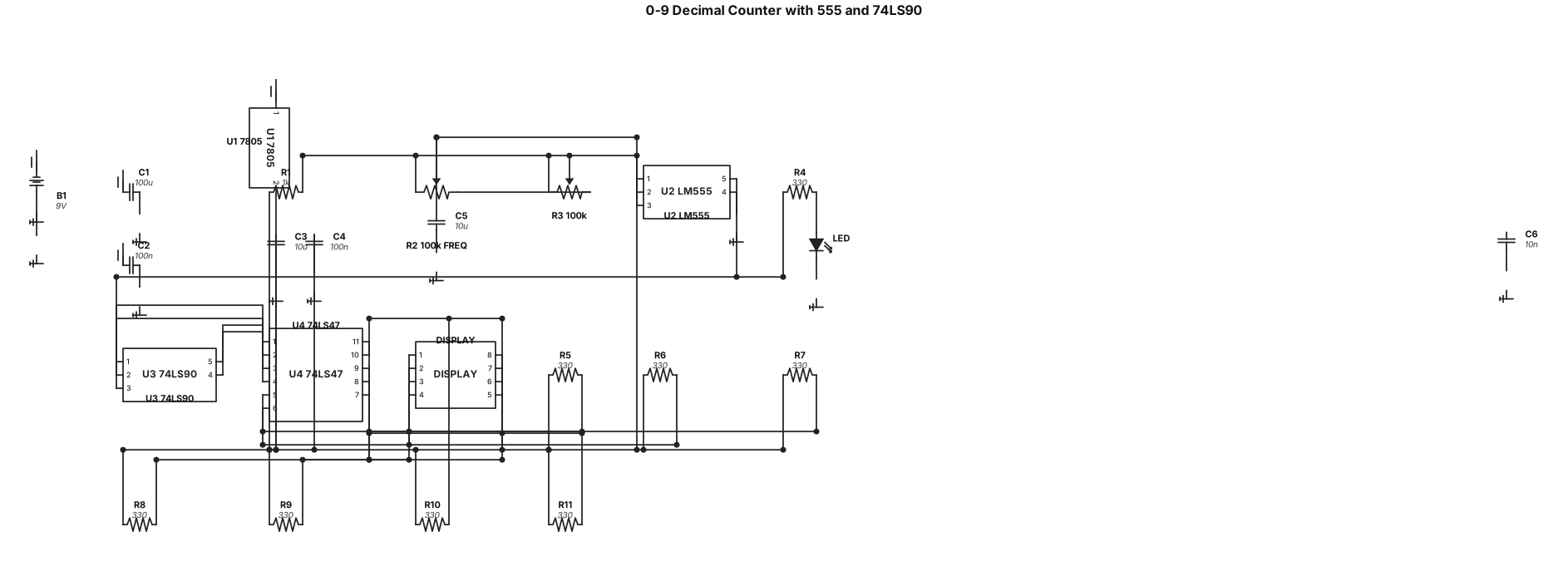
Create a 0 to 9 decimal counter using an LM555 in astable mode with a 100k potentiometer to control the frequency, a 74LS90 decade counter, a 74LS47 BCD to 7-segment decoder, a common-anode 7-segment display, an LED connected to the 555 output through a 330 ohm resistor, and a 9V battery regulated to 5V using a 7805. Show every pin connection clearly."
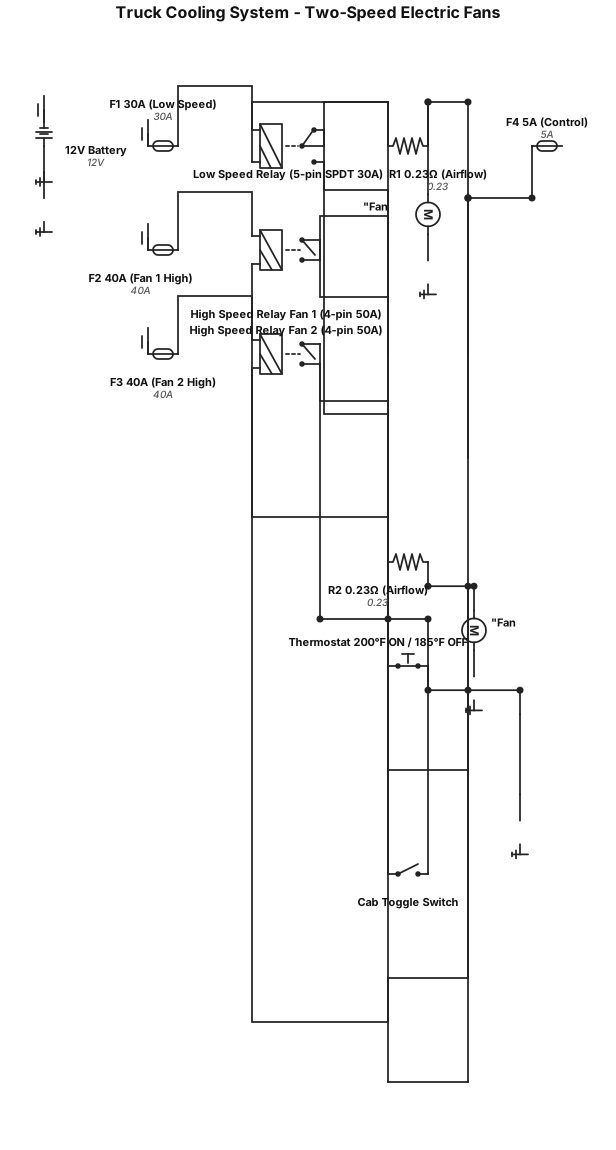
Create an automotive wiring diagram for a truck cooling system with two 12 V, two-wire electric fans that have two speeds: Low Speed: Battery positive → 30 A fuse (close to battery) → Pin 30 of a 5‑pin, 30 A SPDT relay. Pin 87 → 0.23 Ω resistor #1 → Positive terminal of Fan #1. Pin 87a → 0.23 Ω resistor #2 → Positive terminal of Fan #2. Both fan negative terminals go to chassis ground (10–12 AWG). Relay coil: Pin 85 fed from ignition-switched +12 V through a 5 A fuse; Pin 86 connected to a single-wire, normally open thermostat (200 °F ON / 185 °F OFF) that grounds to engine block. High Speed (AND Logic): Fan #1: Battery positive → 40 A fuse (close to battery) → Pin 30 of a 4‑pin, 50 A relay → Pin 87 to Fan #1 positive terminal → Fan #1 negative to chassis ground. Fan #2: Battery positive → 40 A fuse (close to battery) → Pin 30 of a 4‑pin, 50 A relay → Pin 87 to Fan #2 positive terminal → Fan #2 negative to chassis ground. Both high-speed relay coils: Pin 85 fed from ignition-switched +12 V (via same 5 A fuse as low-speed coil feed). Pin 86 connected in series to cab-mounted toggle switch → thermostat output wire → ground. This creates AND logic: high speed only runs when cab switch is ON and thermostat is closed (200 °F+). General Requirements: Show all relays with pin numbers (30, 85, 86, 87, 87a). Show fuse ratings and locations close to battery. Indicate wire gauge placeholders: 10–12 AWG for fan power/ground, 16–18 AWG for control wiring. Show resistors mounted in airflow for cooling. Use standard automotive wiring symbols and clear labels for each component.
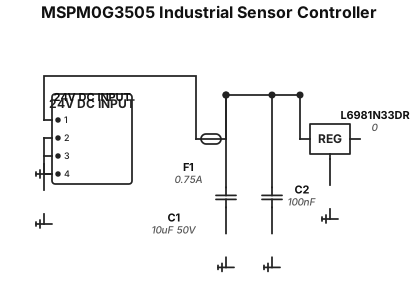
Create a clean professional ELECTRICAL SCHEMATIC, not a PCB layout and not an artistic illustration. The design is a low-cost industrial sensor controller based on TI MSPM0G3505. Use standard electronic schematic symbols. Show component reference designators and values. Use 0603 as the smallest passive package. Never use 0402. Prefer SOIC-8, SOT-23, SOT-223 and LQFP packages. IMPORTANT: Do not invent components. Do not invent connections. Do not add unnecessary components. Do not draw a conceptual block diagram. Draw actual electrical connections with wires and net labels. ================================================== POWER ===== J1 = 24V DC INPUT. 24V_IN → F1 → +24V_PROTECTED. F1 = 0.75A fuse. C1 = 10uF / 50V from +24V_PROTECTED to GND. C2 = 100nF from +24V_PROTECTED to GND. U2 = ST L6981N33DR, SOIC-8. Use U2 as a 24V to 3.3V buck converter. +24V