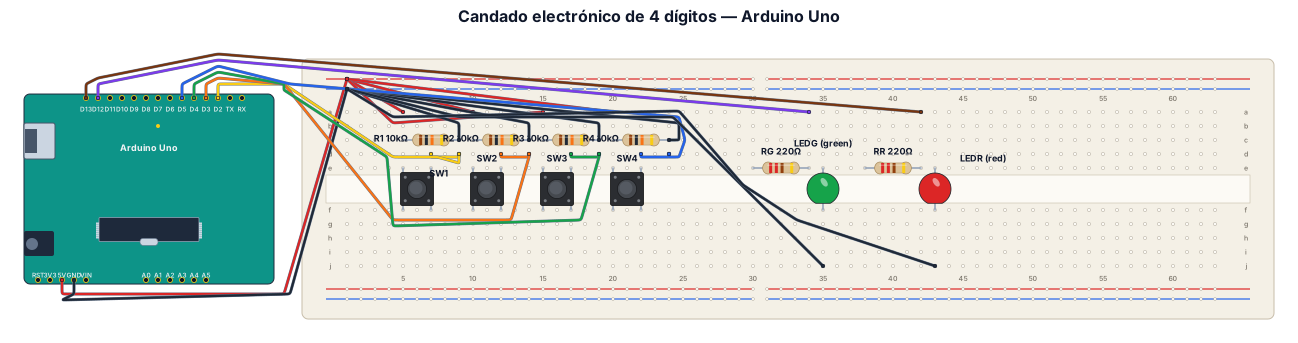
Genera un diagrama electrónico visual estilo Fritzing, claro, completo y realista, para construir físicamente un candado electrónico de 4 dígitos en un protoboard conectado a un Arduino Uno. Incluye exactamente: - 1 Arduino Uno. - 1 protoboard. - 4 pulsadores independientes. - 4 resistencias de 10 kΩ para configurar los pulsadores en pull-down. - 1 LED verde con su resistencia de protección de 220 Ω. - 1 LED rojo con su resistencia de protección de 220 Ω. - Cables de conexión de diferentes colores. CONEXIONES: 1. Conecta el pin 5V del Arduino al riel positivo del protoboard. 2. Conecta un pin GND del Arduino al riel negativo del protoboard. 3. Cada pulsador debe tener un terminal conectado a 5V y el terminal opuesto conectado a su respectiva entrada digital del Arduino. 4. Conecta una resistencia de 10 kΩ desde cada entrada digital de los pulsadores hacia GND para formar cuatro circuitos pull-down independientes. 5. Conecta el ánodo del LED verde, mediante su resistencia de 220 Ω, al pin digital 12 del Arduino y su cátodo a GND. 6. Conecta el ánodo del LED rojo, mediante su resistencia de 220 Ω, al pin digital 13 del Arduino y su cátodo a GND. 7. Utiliza los pines digitales 2, 3, 4 y 5 para los cuatro pulsadores, respectivamente. REQUISITOS DEL DIAGRAMA: - Mostrar el Arduino Uno y el protoboard juntos. - Mostrar todos los componentes colocados en las posiciones correctas. - Dibujar cada cable con colores diferentes y conexiones claramente visibles. - Etiquetar los pines digitales, 5V, GND y los valores de las resistencias. - Mostrar claramente las cuatro conexiones pull-down. - Añadir una lista de materiales y una tabla de conexiones pin por pin. - No incluir código de programación; esta actividad consiste únicamente en el armado físico. - Comprobar que el esquema sea eléctricamente correcto y que pueda reproducirse físicamente.
Diagram Examples from Real Visitor Prompts
Browse eligible diagrams shared by FreeDiagram visitors, inspect the exact prompts, and build your own version.
Browse 3261 real creationsBreadboard Wiring
Showing 25–48 of 102. No stock examples or system defaults. Choose a tool, study a real result, then reopen its prompt as your starting point.
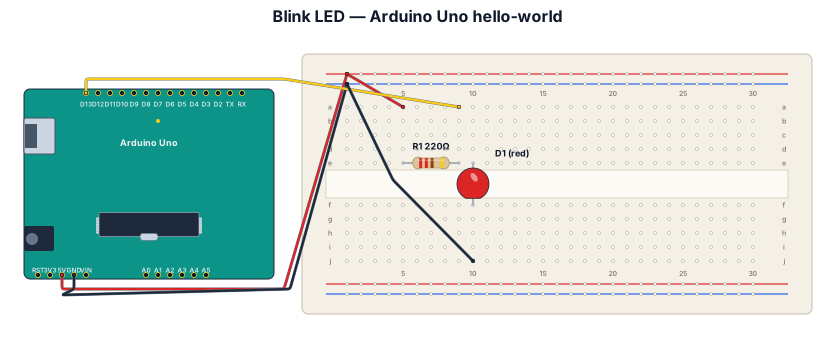
Blink LED hello-world on Arduino Uno with 220-ohm resistor
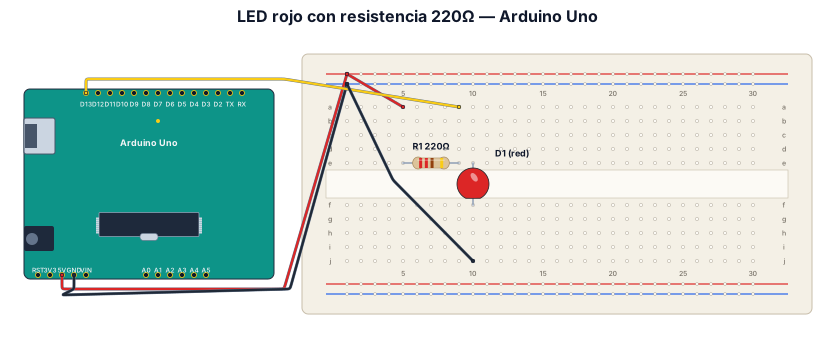
Crea un diagrama estilo Fritzing con un Arduino Uno conectado a un protoboard, un LED rojo y una resistencia de 220 ohmios. Muestra todos los cables de colores, las conexiones exactas a los pines y la conexión a GND. Quiero usar el dibujo para construir el circuito real.
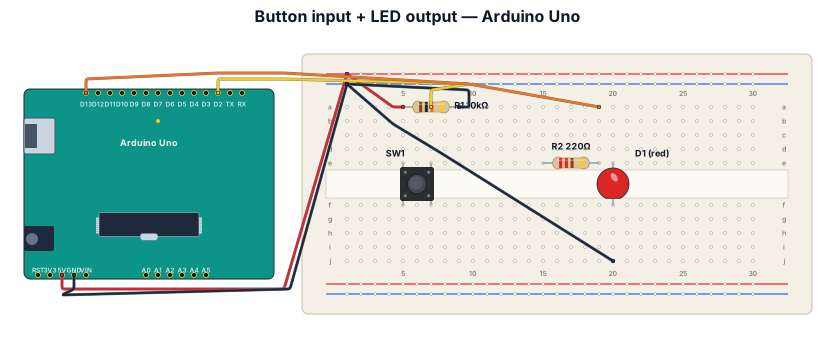
A breadboard wiring diagram for an Arduino Uno reading a button press and lighting an LED: button with pull-down resistor on D2, LED with 220-ohm resistor on D13
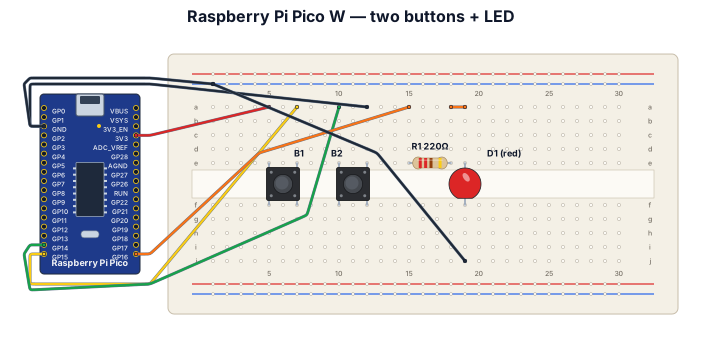
A breadboard wiring diagram for a Raspberry Pi Pico W microcontroller with two tactile push buttons and one external LED. Button 1 is wired between the 3.3V pin and GPIO 15. Button 2 is wired between the GND pin and GPIO 14. The external LED is connected to GPIO 16 through a 220-ohm resistor to GND.
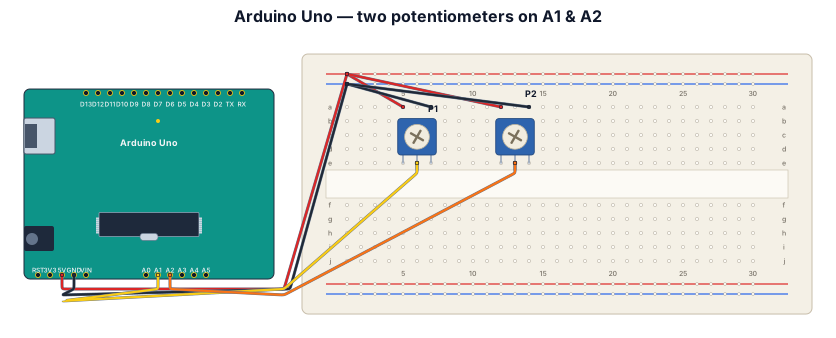
A breadboard wiring diagram for an Arduino Uno reading two potentiometers, one going to A1 one going to A2 both having 5V power and ground
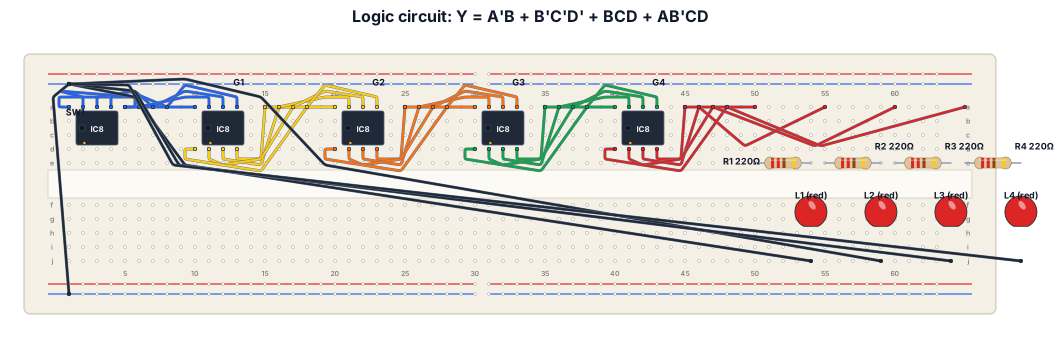
Y = A’B + B’C’D’ + BCD + AB’CD using LEDs, resistors, and logic gates
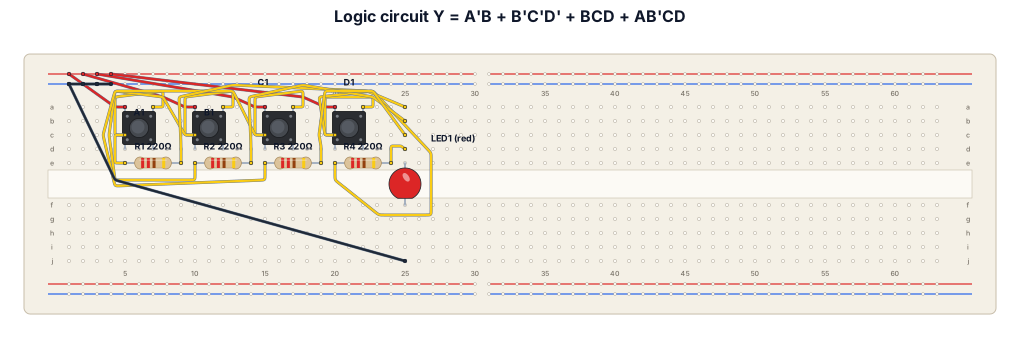
Circuit for Y = A’B + B’C’D’ + BCD + AB’CD using resistors and LEDs
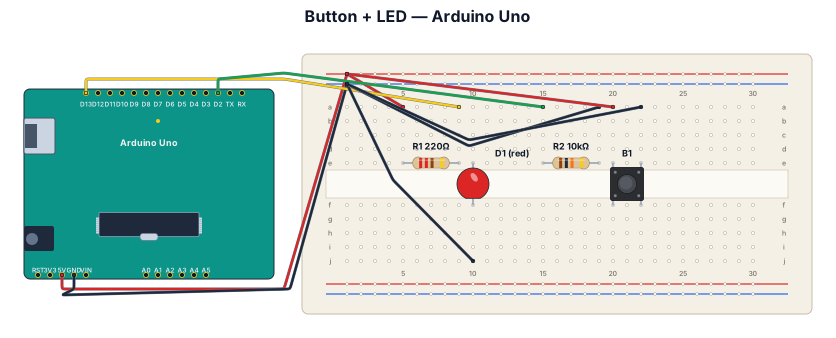
A breadboard wiring diagram for an Arduino Uno reading a button press and lighting an LED: button with pull-down resistor on D2, LED with 220-ohm resistor on D13
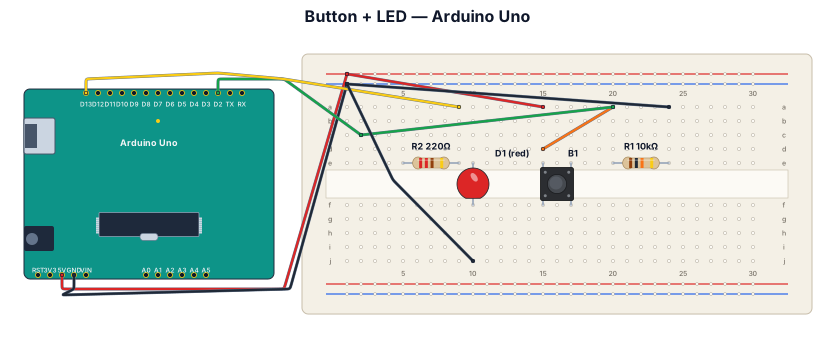
A breadboard wiring diagram for an Arduino Uno reading a button press and lighting an LED: button with pull-down resistor on D2, LED with 220-ohm resistor on D13t
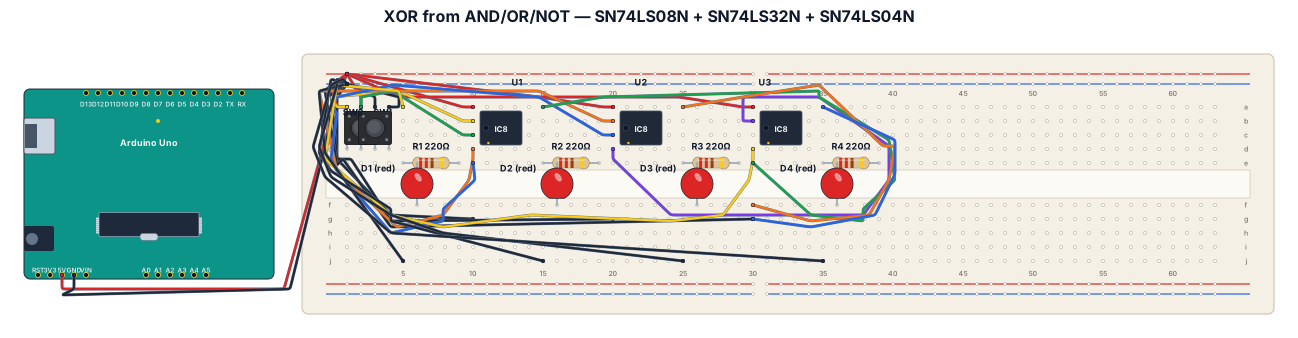
A breadboard wiring diagram for an The first circuit to build and test is a simple XOR operation between two inputs A and B: f(A, B) = A • B + A • B. Any two of the four AND gates in the SN74LS08N chip can be . used to build the circuit. Be sure to connect pin 7 to ground and pin 14 to 5V. You will also need an OR gate from the SN74LS32N chip and two NOT gates from the SN74LS04N.
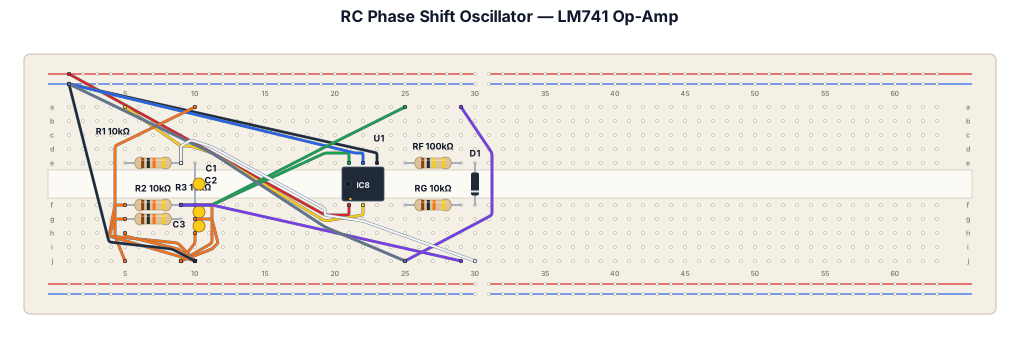
A breadboard wiring diagram using diac and reamining hardware for my exp Design and Testing of RC Phase Shift Oscillator using LM741 Op-Amp
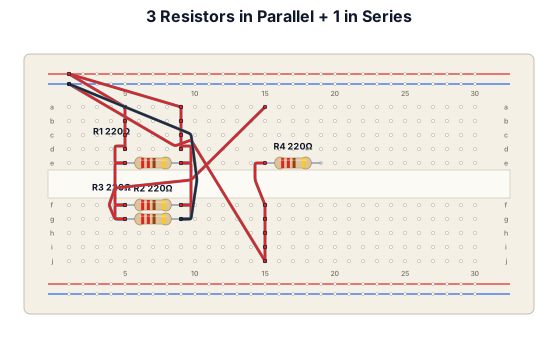
Connect 3 resistor in parallel one in series t
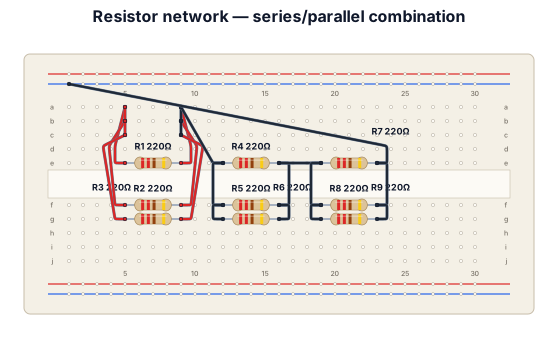
Connect 3 resistor in parallel one in series two more in parallel and 3 more in series
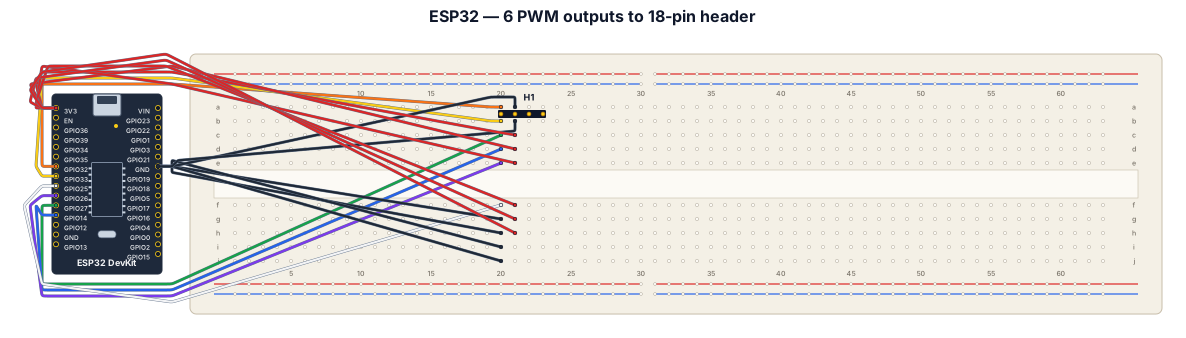
esp32, need 18 pins for 6 PWM cables. Pins for PWM used are in this order based on PWM placement. 32, 33, 27, 14, 26, 25. Positive and negative battery is going to be separate so don't worry about it.
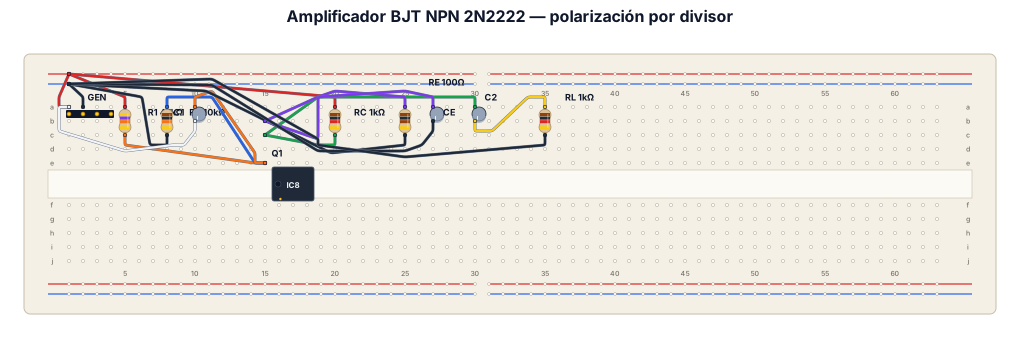
Crea un diagrama de cableado en protoboard para un amplificador con un transistor BJT NPN 2N2222. Conecta una fuente de alimentación DC de 9V a los rieles positivo y negativo de la protoboard. Conexiones de la Base: Conecta una resistencia R1 (47 kOhm) desde el riel positivo a la Base. Conecta una resistencia R2 (10 kOhm) desde la Base al riel negativo (GND). Conecta el polo positivo de un capacitor C1 (10 uF) a la Base, y su polo negativo al terminal positivo de un generador de señal de CA (1 KHz). El negativo del generador va a GND. Conexiones del Colector: Conecta una resistencia RC (1 kOhm) desde el riel positivo al Colector. Conecta el polo positivo de un capacitor C2 (10 uF) al Colector. Conexiones del Emisor: Conecta una resistencia RE (100 Ohm) desde el Emisor a GND. Conecta el polo positivo de un capacitor CE (10 uF) al Emisor y su polo negativo a GND (en paralelo con RE). Conexiones de Salida: Conecta una resistencia de carga RL (1 kOhm) desde el polo negativo de C2 hacia GND.
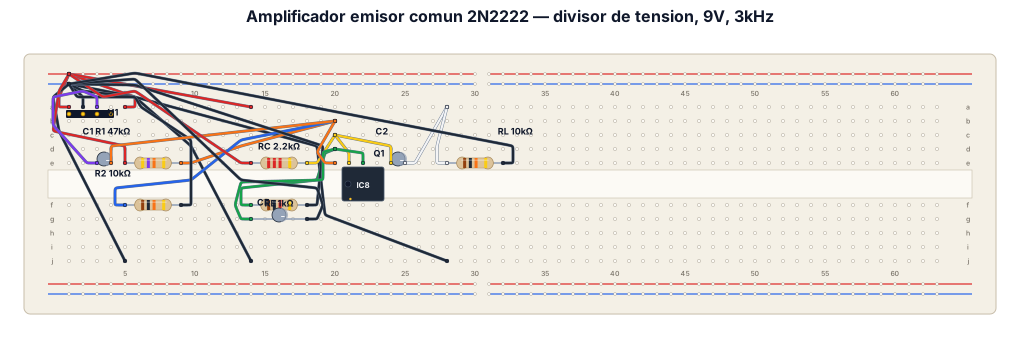
Un diagrama en protoboard de un amplificador usando un transistor bipolar BJT NPN 2N2222 con polarizacion divisor de tension en configuracion emisor comun con R1, R2, RC y la resistencia de carga RL. Ademas C1, C2 y CE (capacitor de desacople), fijar el voltaje en continua en 9V y la corriente alterna con un bajo voltaje y frecuencia fija en 3KHz
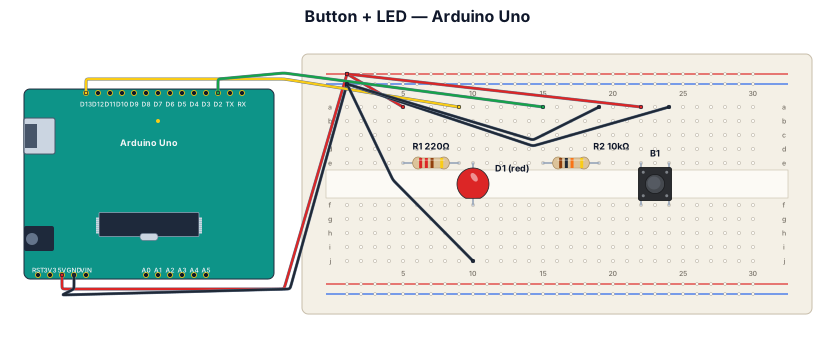
A breadboard wiring diagram for an Arduino Uno reading a button press and lighting an LED: button with pull-down resistor on D2, LED with 220-ohm resistor on D13
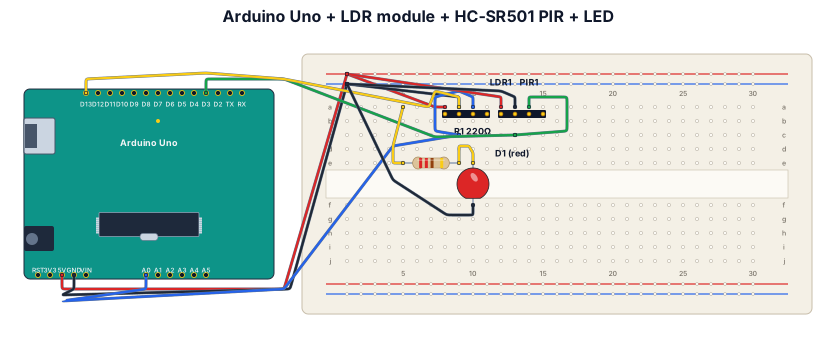
A breadboard wiring diagram for an Arduino Uno with a 3-pin LDR module and an HC-SR501 PIR motion sensor. LDR module: VCC to 5V, GND to GND, AO to A0. PIR sensor: VCC to 5V, GND to GND, OUT to digital pin D3. Add an LED on D13 with a 220-ohm resistor, LED cathode to GND. The LED should turn on when it is dark and motion is detected.
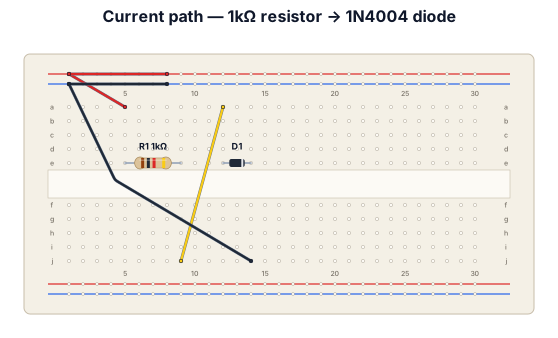
A breadboard where the current comes, passes through a 1kohm resistor then a 1N4004 diode then back around there are probes on both sides of the diode
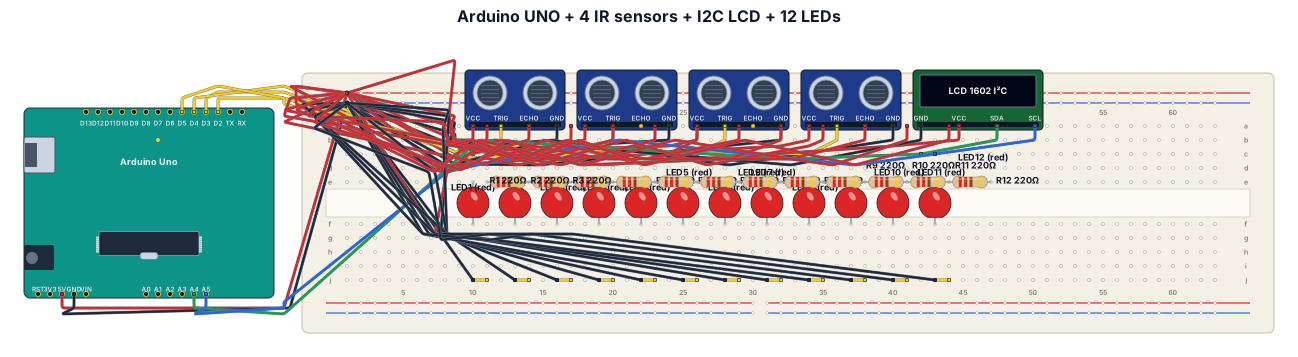
Arduino UNO + 4 IR sensors + 16x2 I2C LCD + 12 LEDs on a breadboard. IR OUT: D2, D3, D4, D5. LCD: SDA A4, SCL A5. Connect all VCC to 5V and all GND to GND. Show the actual breadboard, Arduino, and every wire clearly.
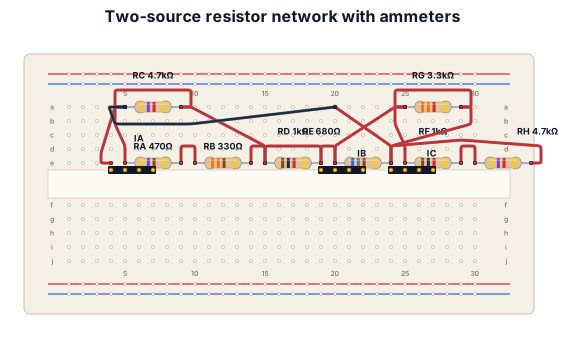
The circuit consists of two DC voltage sources, a 9 V source on the left and a 13 V source on the right, connected through several resistor branches. The 9 V source is connected to node A through ammeter Ia, while node A connects to node D through two parallel branches: one containing Ra = 470 Ω and Rb = 330 Ω in series, and another containing Rc = 4.7 kΩ. Between nodes B and D there is a branch containing Rd = 1 kΩ and ammeter Ib. On the right, node B connects to node C through two parallel paths: one containing Rg = 3.3 kΩ, and another containing Rf = 1 kΩ and Rh = 4.7 kΩ in series. Finally, node C connects through ammeter Ic, the 13 V source, and Re = 680 Ω back to node D, completing the circuit.
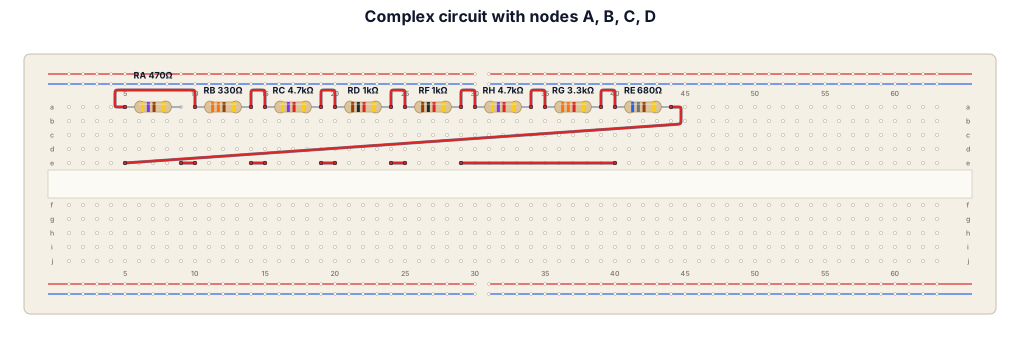
The circuit has four main points: A, B, C, and D. Starting at A, the current splits into two paths to D: one path goes through Ra (470 Ω) and then Rb (330 Ω) in series, while the other goes directly through Rc (4.7 kΩ). The 9 V source E1 and ammeter Ia connect between B and A. From B to D, there is a separate branch containing Rd (1 kΩ) and ammeter Ib in series. On the right, the current from B to C splits into two paths: one goes through Rf (1 kΩ) followed by Rh (4.7 kΩ), and the other goes through Rg (3.3 kΩ). Finally, from C, the current passes through ammeter Ic, the 13 V source E2, and Re (680 Ω) before reaching D. In other words, build the breadboard around the four common nodes A, B, C, and D, then connect each resistor, battery, and ammeter between the same nodes shown in the diagram. Do not use cables or wires connect them in a way that they would all be connected by the resistors, using the fact that the rows are vertically connected
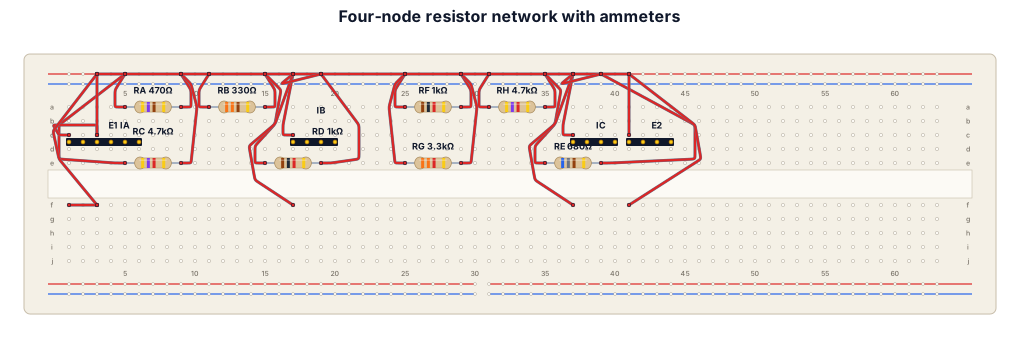
The circuit has four main points: A, B, C, and D. Starting at A, the current splits into two paths to D: one path goes through Ra (470 Ω) and then Rb (330 Ω) in series, while the other goes directly through Rc (4.7 kΩ). The 9 V source E1 and ammeter Ia connect between B and A. From B to D, there is a separate branch containing Rd (1 kΩ) and ammeter Ib in series. On the right, the current from B to C splits into two paths: one goes through Rf (1 kΩ) followed by Rh (4.7 kΩ), and the other goes through Rg (3.3 kΩ). Finally, from C, the current passes through ammeter Ic, the 13 V source E2, and Re (680 Ω) before reaching D. In other words, build the breadboard around the four common nodes A, B, C, and D, then connect each resistor, battery, and ammeter between the same nodes shown in the diagram.